
Last Updated on: Sep 22, 2026
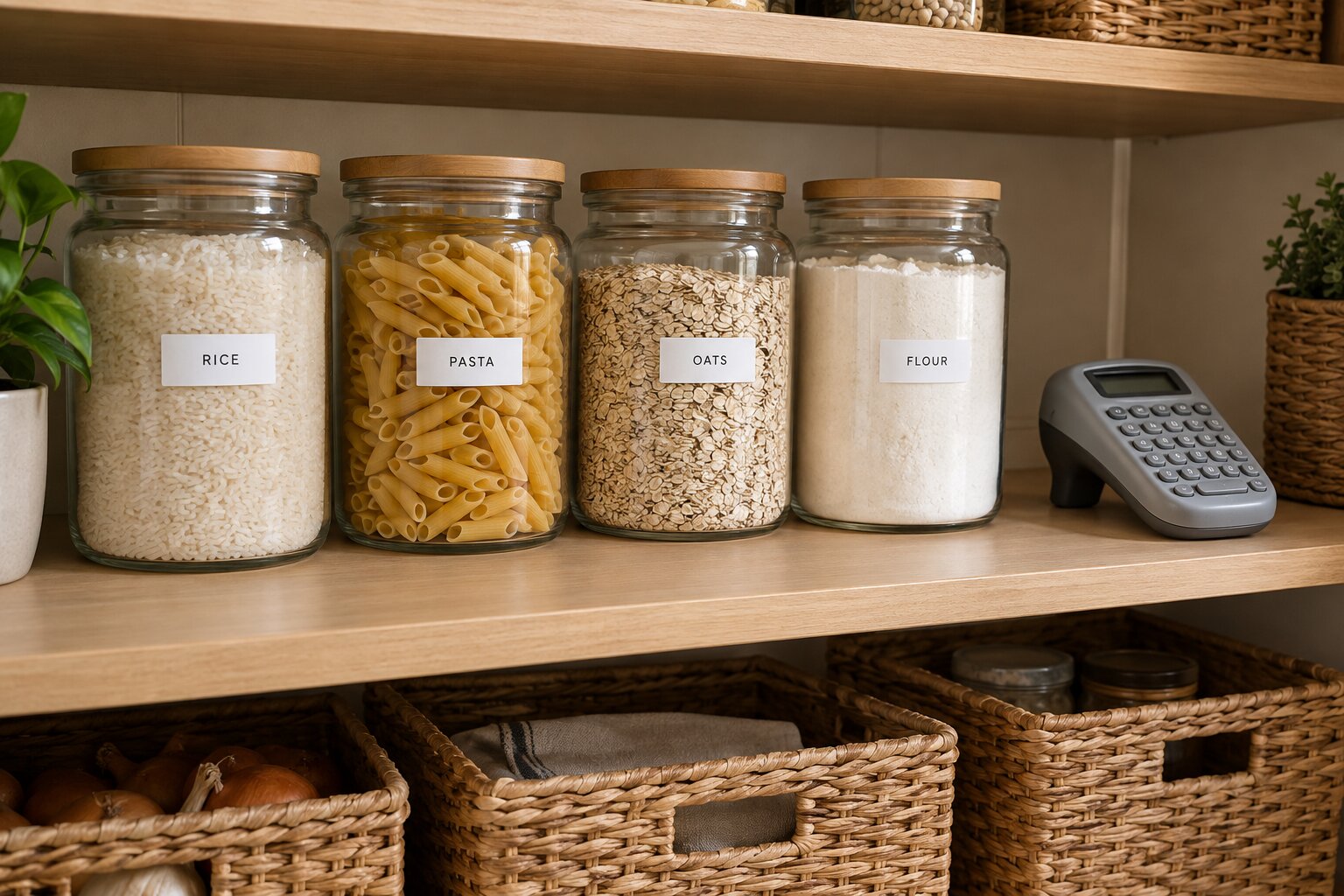
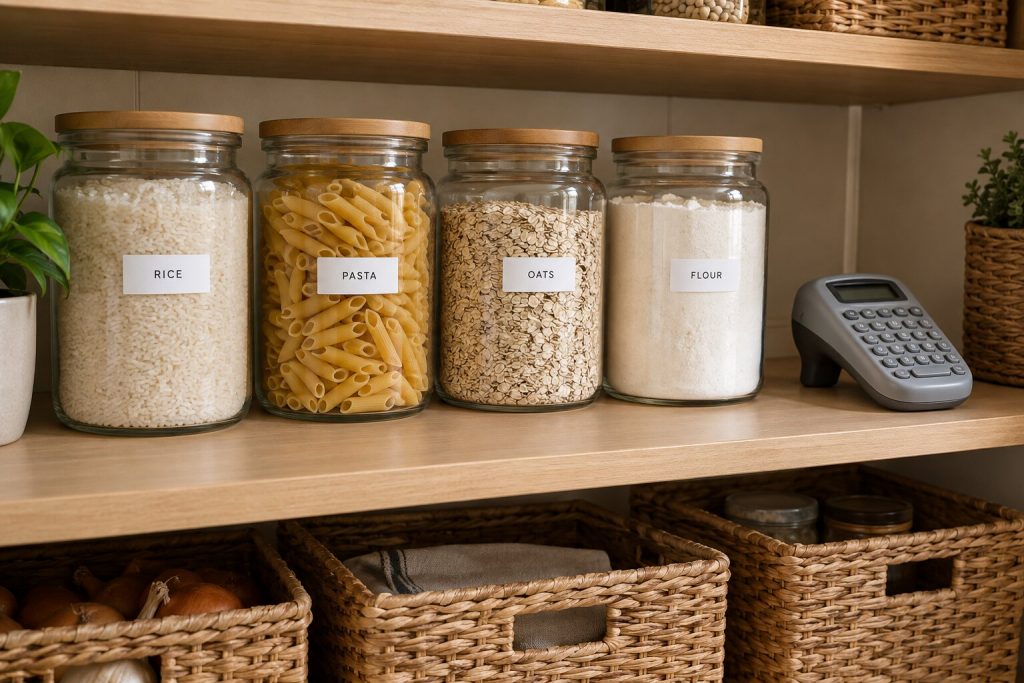
Most home organizing projects fail quietly. You buy the bins, sort the closet, and six weeks later nobody remembers which box holds the extension cords. A label is the small step that keeps a system working after the weekend you spent building it. It tells everyone in the house where things go, not just the person who set it up.
What We'll Cover
Handwritten labels work, but they smudge, fade, and are hard to read from across a room. A label maker prints clean, even text on tape that sticks to plastic, glass, metal, and cardboard. Prices start low, and the good ones last for years. The harder part is choosing, because the category now covers old-style keyboard units, tiny Bluetooth printers that run from your phone, and even manual embossers that press letters into plastic tape.
Top Label Makers
The three main types
Keyboard label makers
This is the classic design: a handheld unit with a small screen and a built-in keyboard. You type, check the preview, and print. There is nothing to pair or update, and it works the same way every time. The trade-off is that design options are limited to the fonts, frames, and symbols built into the machine. For pantry jars, file folders, and storage bins, that is usually all you need.
Bluetooth and app-based printers
These smaller printers have few or no buttons. You design labels in a phone app and send them to print. That opens up many more fonts, icons, and templates, and some apps can print barcodes or QR codes. Most of these models use thermal printing, which needs no ink at all. The downside is that you need your phone nearby, and each maker has its own app that you have to learn.
Embossing label makers
An embosser has no screen, batteries, or ink. You turn a dial to pick a letter and squeeze the handle to press it into colored plastic tape, which leaves raised white characters. It is slower, but people love the retro look for craft rooms, scrapbooks, and kids' projects. It is also a fun way to get children involved in labeling their own things.
What to compare
Tape width and type
Tape width limits how large your text can be. Half-inch (12 mm) tape handles most home labels. Wider tape, such as one inch (24 mm), is better for storage boxes you want to read from a distance. Also check what kind of tape the machine takes. Many brands use their own cassettes, so the ongoing cost of tape can matter more than the price of the machine. Laminated tapes resist water, grease, and fading, which is worth it in kitchens, bathrooms, and garages.
Power
Older handheld models run on AA or AAA batteries, and some accept an optional AC adapter. Newer models often have a built-in rechargeable battery. If you label in bursts, such as a big garage cleanout, a rechargeable unit or an adapter saves a lot of batteries.
Keyboard layout
Some budget models use an ABC keyboard, with letters in alphabetical order. A QWERTY layout is faster if you are used to typing on a computer or phone. It sounds minor, but it makes a real difference when you have 40 labels to print.
| Type | Best for | Keep in mind |
|---|---|---|
| Keyboard handheld | Quick labels without a phone | Limited fonts and designs |
| Bluetooth app printer | Custom designs, icons, barcodes | Needs your phone and an app |
| Wide-tape desktop | Boxes and bins read from far away | Larger and pricier tape |
| Manual embosser | Crafts, retro style, kids | Slow; limited characters |
Label makers worth a look
These picks come from current best-seller lists and cover each style. Details are from the makers.
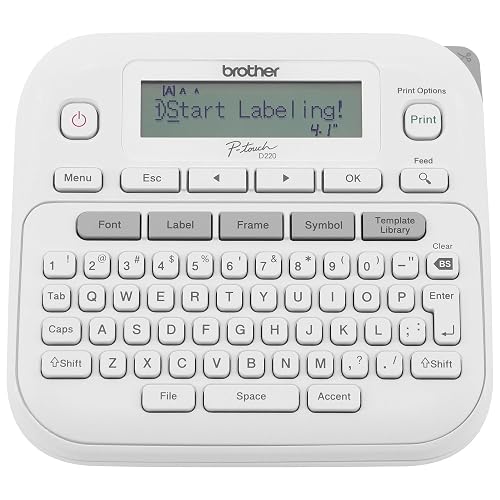
Ideal For Small Office, Home Office, and Home Organization: a mobile label maker to keep homes, small offices, and workspaces tidy and organized. Powered by 6 AAA batteries or optional AC adapter (...
Brother's PT-D220 is a solid everyday keyboard model. It prints on half-inch TZe laminated tapes, which are easy to peel and hold up well, and it can print one or two lines of text. You get 14 fonts, 11 styles, 99 frames, and more than 600 symbols, plus a QWERTY keyboard and memory for 30 frequent labels. It runs on six AAA batteries or an optional AC adapter, sold separately.
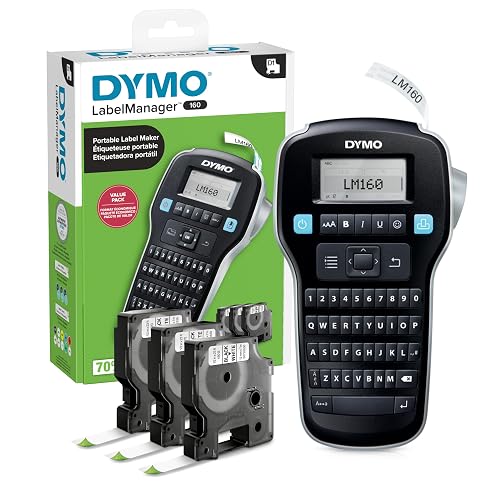
Compact and Portable: Easy to carry, making it perfect for labeling anywhere, anytime
User-Friendly: Features a QWERTY keyboard and one-touch smart keys for fast and easy text input/editing
Customi...
If you want a bit more speed, DYMO's LabelManager 160 has a QWERTY keyboard and one-touch smart keys for quick formatting. It offers more than 20 text formats and over 200 symbols. This bundle comes with three half-inch D1 cassettes, and the machine also takes quarter-inch and three-eighths-inch D1 tapes.
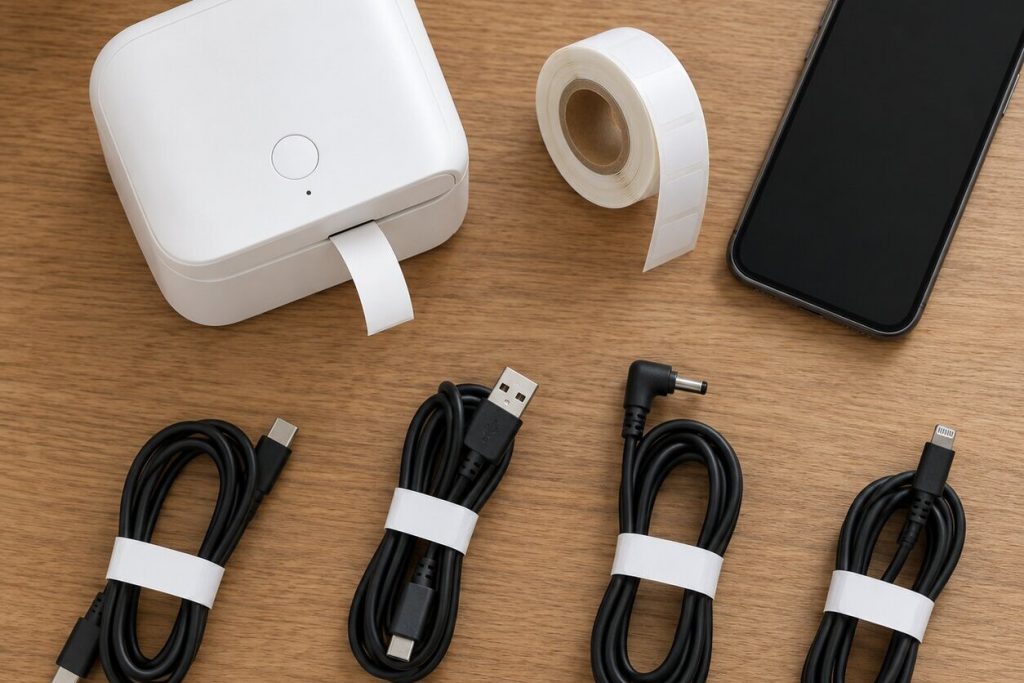
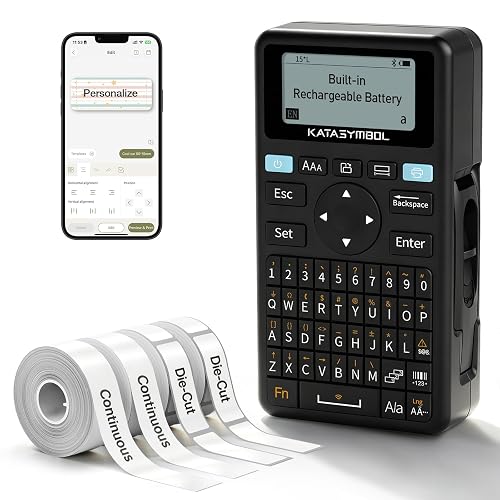
Fast Keyboard & Smart App Printing: Print directly via the keyboard for quick frequent labeling, or use the App via Bluetooth connection to create customized designs; ideal for home organization, g...
SUPVAN's E11 gives you both options. You can type on its keyboard for quick labels, or connect to the app over Bluetooth for custom designs. The maker says its 1,200 mAh rechargeable battery lasts up to a month per charge. It weighs about half a pound and prints with a small 0.2-inch margin, so less tape goes to waste.
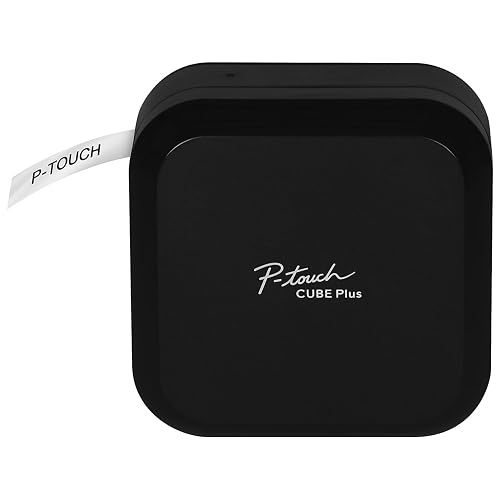
LABEL PRINTING YOUR WAY: The lightweight, portable P-touch CUBE Plus PT-P710BT uses Bluetooth wireless technology to design and print pre-designed or custom labels up to 24mm (1 inch) wide from you...
Brother's P-touch CUBE Plus is an app-based printer that handles tape up to one inch (24 mm) wide, which makes it a good choice for storage boxes and shelf labels you need to read from across a room. You design on an Apple or Android phone or a computer, with three Brother apps to choose from, including templates for home, office, retail, and crafts.
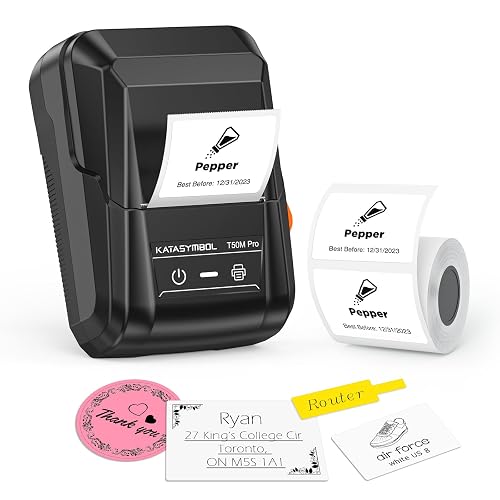
For Home and Small Business: Prints 3/4" - 2" wide labels; ideal for home organization (storage bins, bottle, jar, food container, etc.), small business (address, product info, QR Code, barcode, br...
For labels you design mostly on your phone, SUPVAN's T50M Pro is an inkless Bluetooth printer. Its free app needs no sign-up, recognizes the label size on its own, and lets you add images from a phone, tablet, or computer along with more than 30 fonts, 50 frames, and 660 icons. The maker describes the labels as wide and waterproof, which suits pantry bins and bathroom shelves.
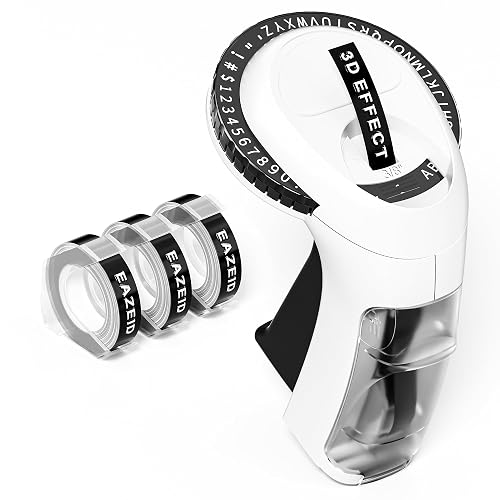
Vintage Retro Label Maker : Remember those cute 3D effcet 3/8 inch 9mm embossing label tapes you used to make for everything as a kid? Well, they're back! -Vintage 2026 upgrade embossing label make...
For a retro project, the EazeID embosser presses letters into three-eighths-inch (9 mm) tape. Turn the dial to one of 48 characters, including A to Z, 0 to 9, and a few symbols, then press the handle. It needs no batteries, ink, or power and weighs about 149 grams.
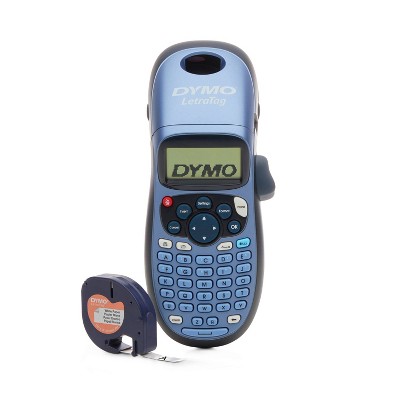
For a simple handheld starter, Target sells the DYMO LetraTag 100H. It comes with a cassette of black-on-white half-inch labels and runs on four AA batteries, which are not included.
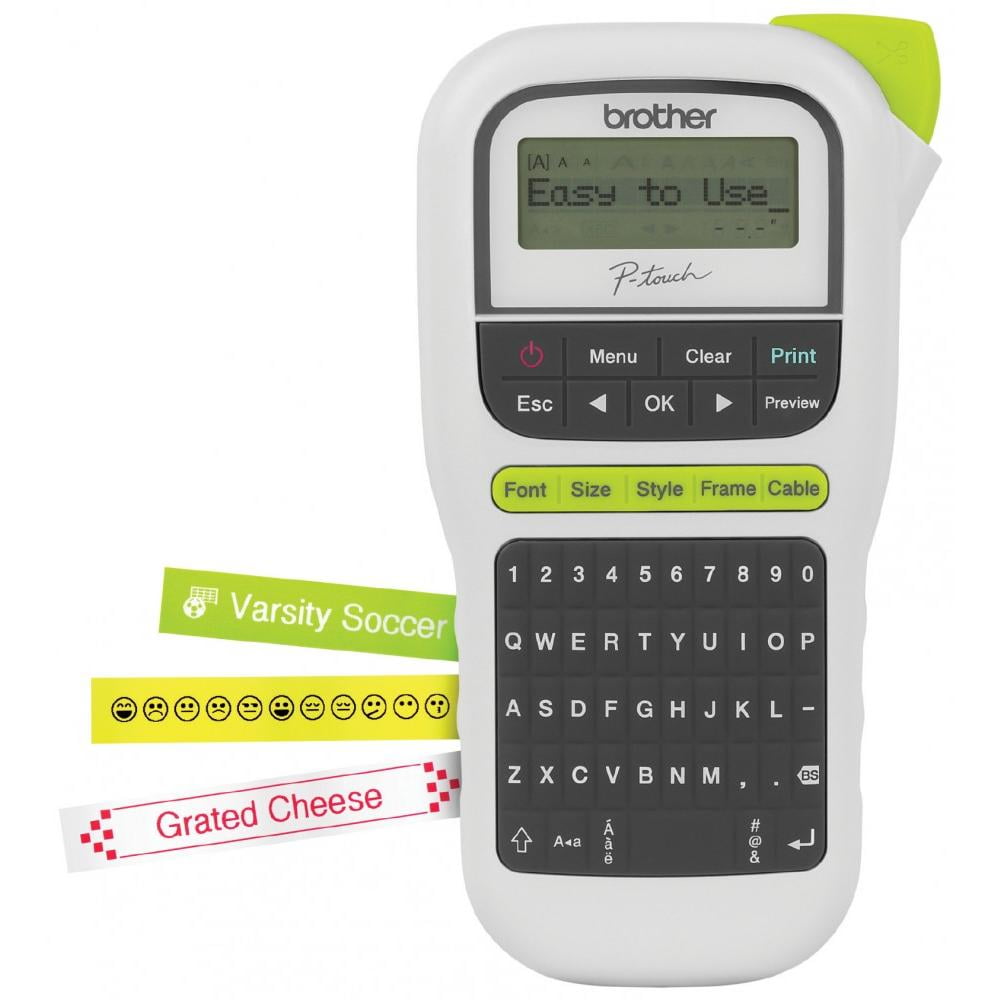
Walmart carries the Brother PT-H110, a light handheld keyboard model. One-touch keys jump straight to fonts, styles, and frames, and you get 3 fonts, 14 frames, and more than 250 symbols. It runs on six AAA batteries or an optional AC adapter that is sold separately.
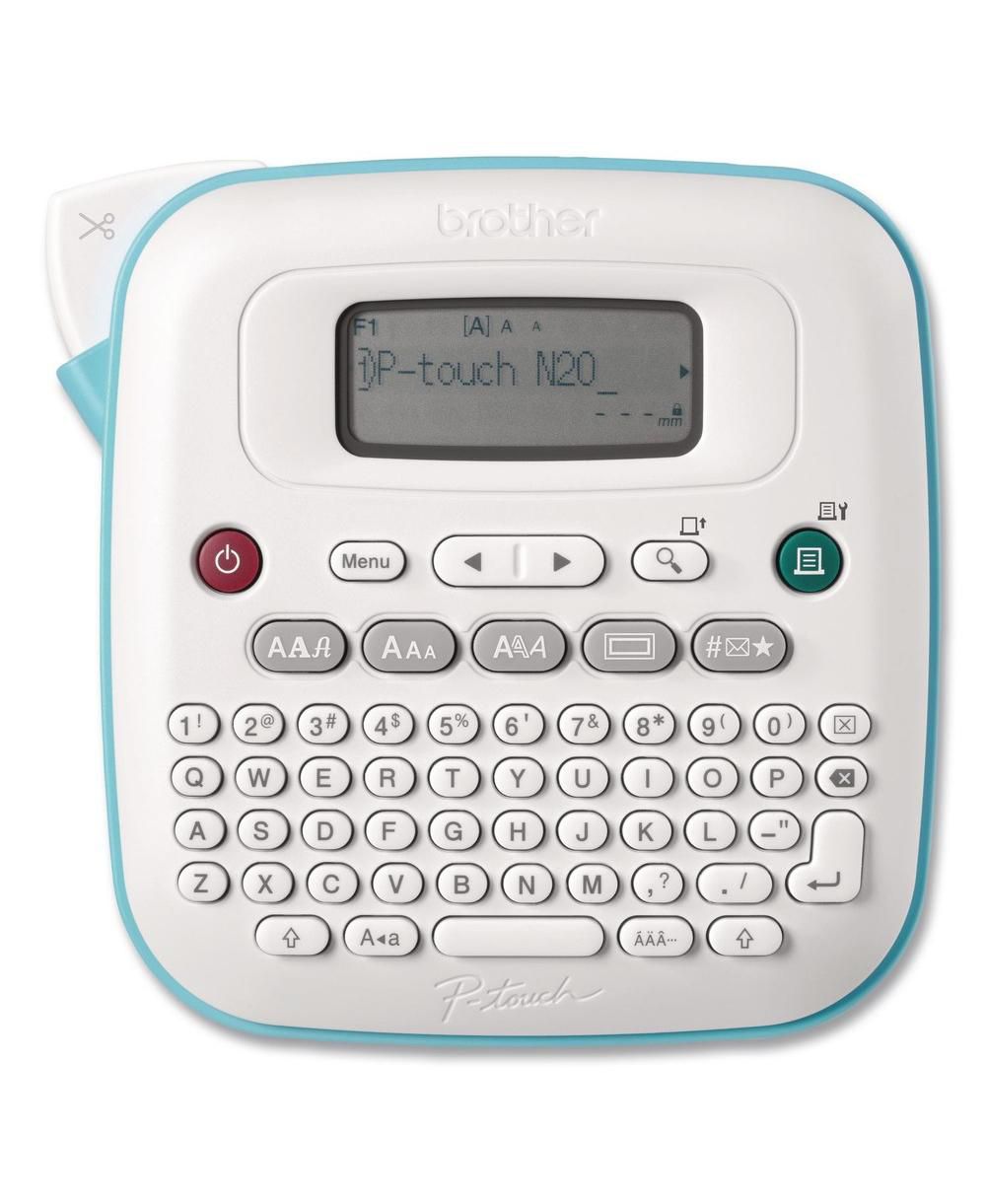
If you would rather keep a labeler on a desk than in a drawer, Macy's lists the Brother PT-N20 desktop model. It has a QWERTY keyboard and a 16-character display to preview labels before you print, prints up to two lines, and can save ten frequent layouts. It comes loaded with three fonts, seven font styles, 15 frames, and 250 symbols, and it uses half-inch Brother tapes.
Where labels help most
The pantry and fridge. Labels on bulk jars and bins make it easy to see what you have and what is running low. For leftovers, add the date you cooked them. According to FoodSafety.gov, cooked meat, poultry, and pizza leftovers keep 3 to 4 days in the refrigerator. A dated label takes the guesswork out of the Thursday night fridge check. Removable or paper tape works well on reusable containers, since you will want to peel it off later.
Cables and chargers. Wrap a flag label around each cord near the plug so you know which charger belongs to which device. Label both ends of cables behind a TV or desk so you can unplug the right one.
The garage and tool bench. Bins of screws, hardware, and paint supplies are easier to find with bold labels on the front. Laminated tape stands up better to dust, heat, and damp.
Kids' things. Label lunch boxes, water bottles, and school supplies with a name. Use durable tape that can handle the dishwasher on bottles and containers.
Files and paperwork. A clear, consistent label on every folder saves time at tax season and makes it easier for someone else in the house to find important papers.
Tips for labels that last
Clean the surface first. Dust and grease are the main reasons labels peel. Wipe with a little rubbing alcohol and let it dry before you stick anything down.
Keep a simple style. Pick one font size and layout for each area of the house and stick with it. Consistency makes the whole system easier to scan.
Leave space to change your mind. For bins whose contents change often, use removable tape or put the label on a clip or tag instead of right on the container.
Which one to buy
For most homes, a basic keyboard model with half-inch tape covers pantry jars, bins, and files without any setup. If you enjoy custom designs, want icons, or need wider labels, an app-based Bluetooth printer is worth the extra step of using your phone. And if you mainly want the look, a manual embosser is cheap, fun, and needs no power at all. Whatever you choose, check the price and type of replacement tape first, since that is the part you will keep buying.
The responses below are not provided, commissioned, reviewed, approved, or otherwise endorsed by any financial entity or advertiser. It is not the advertiser’s responsibility to ensure all posts and/or questions are answered.
Tip if you label cords: print the name twice on one label and wrap it so the text shows from either side.
Do the laminated tapes hold up in a freezer? Wondering if it's worth labeling frozen meal containers or if they peel off in the cold.