A mechanical keyboard earns its desk space in the fingers: switch feel, stabilizer rattle, the case’s heft. The ten below run from compact 60% boards to full-size flagships, from Keychron, Corsair, Logitech, HyperX, Razer and Redragon. Half link to Amazon; the rest link to Target and Walmart.
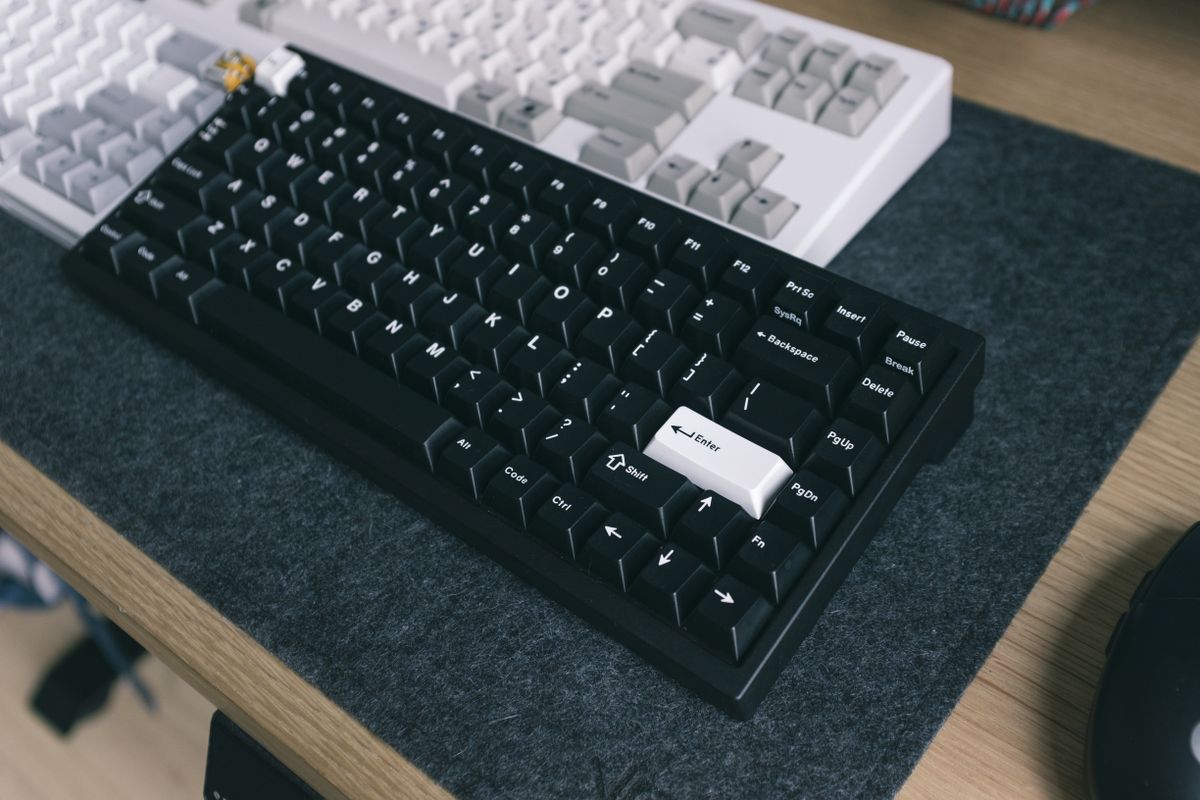
Scores are our judgment of each keyboard on its traits and the owner threads named on each card. We did not type on these boards ourselves.
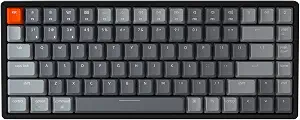
Keychron K2 (K2C1)
The 75% wireless board with a five-year owner record.
- 75% layout; Bluetooth and USB-C wired
- 5-year owner: still in daily use
- Long battery life, per long-term owners
- Base version not hot-swappable, per an owner

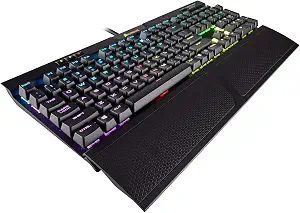
Corsair K70 RGB MK.2 (Cherry MX Red)
Full-size flagship with genuine Cherry switches.
- Cherry MX Red linear switches
- Aluminum frame, per Corsair
- Volume roller and USB passthrough
- Not hot-swappable; switches soldered
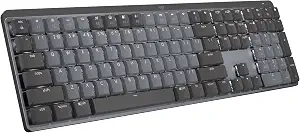
Logitech MX Mechanical (Clicky)
The office-grade low-profile mechanical.
- Low-profile clicky switches
- Multi-device wireless, per Logitech
- Owners: enjoyable typing feel
- Limited key remapping, per an owner
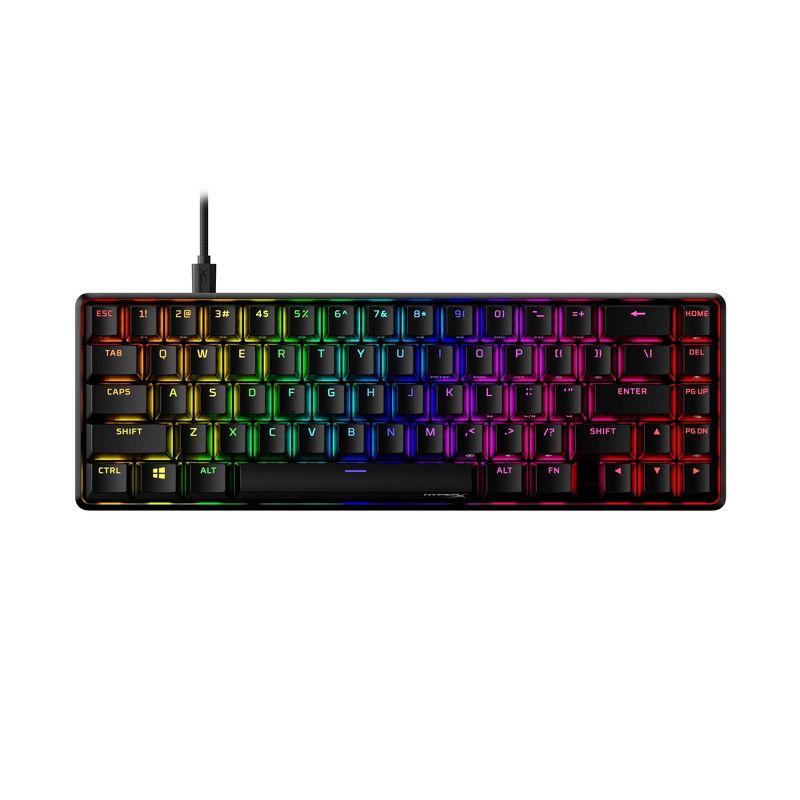
HyperX Alloy Origins 65
Aluminum 65% with arrow keys.
- 65% layout keeps arrow keys
- Aluminum body
- HyperX red linear switches
- No long-term owner threads found

HyperX Alloy Origins (HX Aqua)
Tank-like full-size with tactile Aquas.
- Full aluminum body
- HX Aqua tactile switches
- Multi-height feet, per an owner
- One report of inconsistent switch feel
Razer BlackWidow V3
The V4's predecessor, with the cleaner record.
- Razer green clicky switches
- Owners: still working at 2-4 years
- Full-size with media controls
- One owner reports occasional key lag
Razer Huntsman Mini
Fast optical 60%; loud and software-bound.
- 60% layout; optical switches
- PBT keycaps, detachable USB-C
- Owners: fast, responsive for gaming
- Loud rattly stabilizers, per an owner review
Logitech G413
Subdued aluminum-top board, Romer-G feel.
- Aluminum top case
- Romer-G tactile switches
- Owners: solid, held up over years
- Fragile keycap stems, per an owner

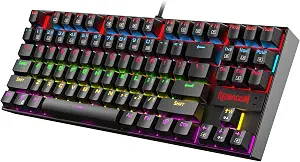
Redragon K552 (Red Switches)
The budget classic; recent switch failures.
- Tenkeyless budget board
- Red linear switches
- Recent owners report switch failures
- Many variants; check the exact listing
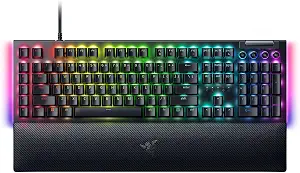
Razer BlackWidow V4 (Green Switches)
Feature-rich flagship, troubled owner record.
- Razer green clicky switches
- Macro keys, wrist rest, media roller
- Owners report double-typing keys
- Not hot-swappable
Keychron K2 (K2C1)
Keychron K2 (K2C1)
The 75% wireless board with a five-year owner record.
- 75% layout; Bluetooth and USB-C wired
- 5-year owner: still in daily use
- Long battery life, per long-term owners
- Base version not hot-swappable, per an owner
The Keychron K2 is the 75% wireless board with the longest owner record on this list: one r/MechanicalKeyboards owner is five years in, and the keyboard is still in daily use. That owner’s honest ledger: the stock board is loud, the case and the Mac/Win/Bluetooth toggles feel cheap, and the recessed USB-C port rejects some cables - but the battery runs for ages between charges.
Note the variant trap that owner hit: his base K2 was not hot-swappable, so changing switches meant soldering; a second owner reports his K2 unit did come hot-swappable. Check the exact listing before counting on it. Bluetooth wake is slow, per the five-year owner.
Pros
- 75% layout; Bluetooth and USB-C wired
- 5-year owner: still in daily use
- Long battery life, per long-term owners
Cons
- Base version not hot-swappable, per an owner
- Loud stock board; cheap-feeling case, per owner
Corsair K70 RGB MK.2 (Cherry MX Red)
Corsair K70 RGB MK.2 (Cherry MX Red)
Full-size flagship with genuine Cherry switches.
- Cherry MX Red linear switches
- Aluminum frame, per Corsair
- Volume roller and USB passthrough
- Not hot-swappable; switches soldered
The K70 RGB MK.2 pairs genuine Cherry MX Red linear switches with an aluminum frame, a volume roller and USB passthrough - the full-size flagship layout done conventionally. In the owner thread we found, the practical warning was about modding, not reliability: the board is not hot-swappable, so switch changes mean soldering, as two commenters pointed out.
Owner evidence, said plainly: the threads we found for this exact model are thin, mostly pre-purchase questions rather than long-term reports. The traits above come from Corsair’s spec sheet; the Cherry switches and aluminum frame are the substance of the pick.
Pros
- Cherry MX Red linear switches
- Aluminum frame, per Corsair
- Volume roller and USB passthrough
Cons
- Not hot-swappable; switches soldered
- Thin exact-model owner threads
Logitech MX Mechanical (Clicky)
Logitech MX Mechanical (Clicky)
The office-grade low-profile mechanical.
- Low-profile clicky switches
- Multi-device wireless, per Logitech
- Owners: enjoyable typing feel
- Limited key remapping, per an owner
The MX Mechanical is the office-grade option: low-profile clicky switches, backlighting and multi-device wireless. Owners in r/logitech call the typing experience enjoyable, and one lays out the three switch variants plainly - the clicky version gives the most mechanical feel of the set.
Owner caveats: key remapping covers little beyond the F-keys, which frustrated one owner; the backlight sleeps sooner than another would like and its timer cannot be adjusted; and one owner reports heavy wireless latency in their setup, ruling it out for gaming there.
Pros
- Low-profile clicky switches
- Multi-device wireless, per Logitech
- Owners: enjoyable typing feel
Cons
- Limited key remapping, per an owner
- One report of heavy wireless latency
HyperX Alloy Origins 65
HyperX Alloy Origins 65
Aluminum 65% with arrow keys.
- 65% layout keeps arrow keys
- Aluminum body
- HyperX red linear switches
- No long-term owner threads found
The Alloy Origins 65 packs the aluminum body of the Origins line into a 65% layout that keeps the arrow keys. Thread comments describe its HyperX switches as smoother than Cherry MX equivalents - though that specific claim is secondhand, so treat it as hearsay.
Owner evidence, said plainly: we found no long-term owner thread for this exact 65% model. Treat this as a traits pick: aluminum case, compact layout with arrows, HyperX’s own switches.
Pros
- 65% layout keeps arrow keys
- Aluminum body
- HyperX red linear switches
Cons
- No long-term owner threads found
- Smoother-than-Cherry claim is hearsay
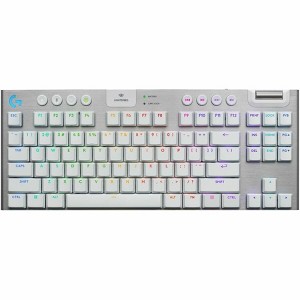
HyperX Alloy Origins (HX Aqua)
HyperX Alloy Origins (HX Aqua)
Tank-like full-size with tactile Aquas.
- Full aluminum body
- HX Aqua tactile switches
- Multi-height feet, per an owner
- One report of inconsistent switch feel
The Alloy Origins full-size board, with HX Aqua tactile switches, earns praise for its tank-like aluminum build and multi-height feet. One r/HyperX reviewer’s unit had noticeably inconsistent switch weighting across keys; a second owner suspects that was a one-off, calling their own Aquas smooth and quiet.
Shared owner complaints: glossy, fingerprint-prone keycaps and a hollow, rattly spacebar. HyperX replied in the review thread asking to look into the switch inconsistency.
Pros
- Full aluminum body
- HX Aqua tactile switches
- Multi-height feet, per an owner
Cons
- One report of inconsistent switch feel
- Rattly spacebar, glossy keycaps, per owners
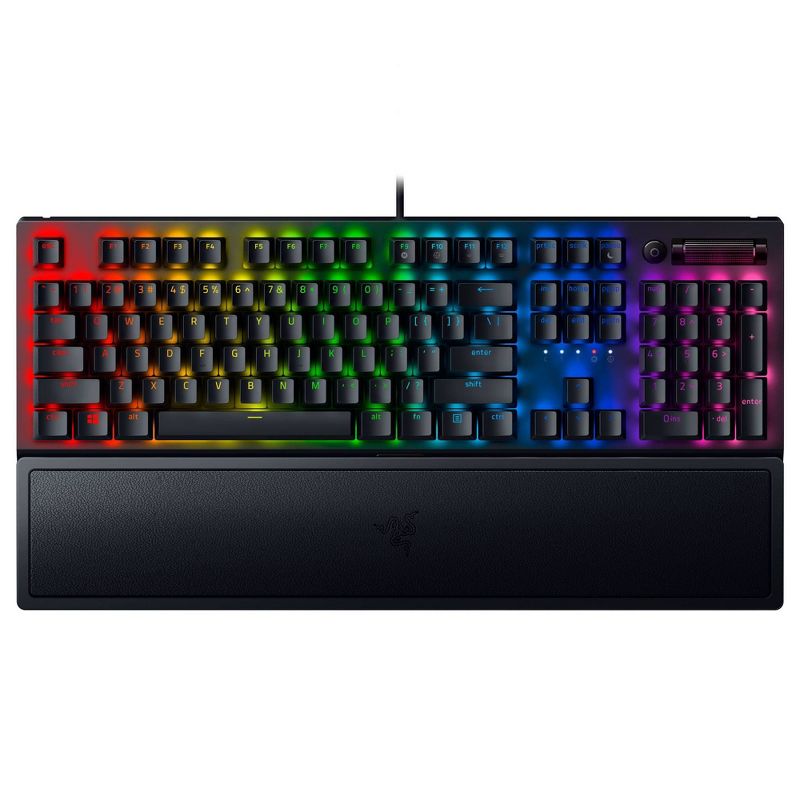
Razer BlackWidow V3
Razer BlackWidow V3
The V4's predecessor, with the cleaner record.
- Razer green clicky switches
- Owners: still working at 2-4 years
- Full-size with media controls
- One owner reports occasional key lag
The BlackWidow V3 (green switches) is the V4’s immediate predecessor, and its owner record is cleaner than its successor’s: in an r/razer thread, owners at two, three and four years report the board still working. Their caveats: one has an occasional laggy key, and another’s right-shift keycap pops off on fast releases.
That record belongs to the V3 specifically. The double-typing complaints elsewhere in Razer threads mostly name the newer V4 line, and we are not transferring them here. Do know the V3’s Razer green switches are loud and clicky by design.
Pros
- Razer green clicky switches
- Owners: still working at 2-4 years
- Full-size with media controls
Cons
- One owner reports occasional key lag
- Loud by design
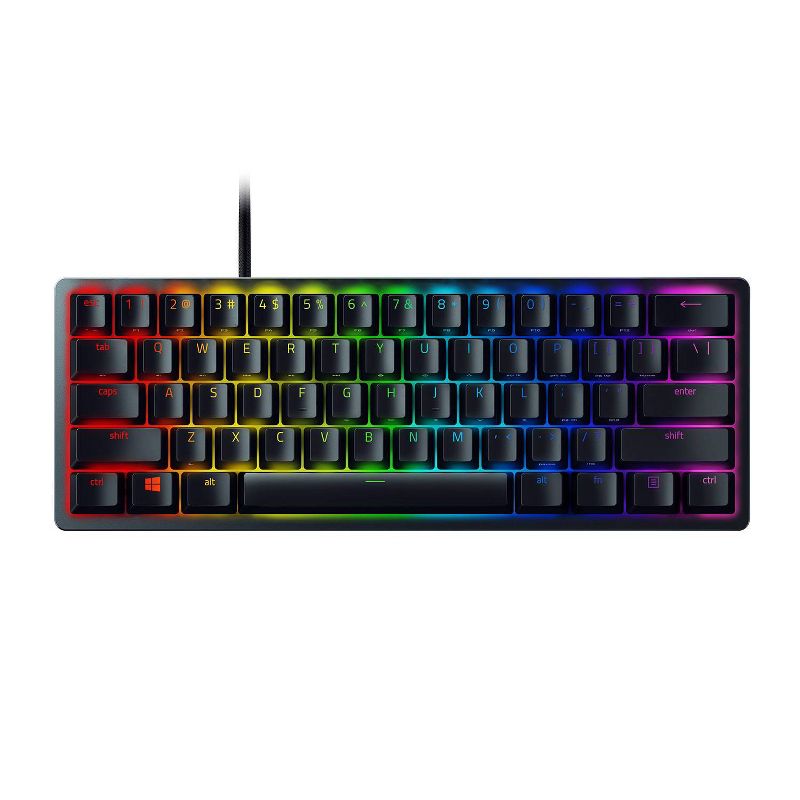
Razer Huntsman Mini
Razer Huntsman Mini
Fast optical 60%; loud and software-bound.
- 60% layout; optical switches
- PBT keycaps, detachable USB-C
- Owners: fast, responsive for gaming
- Loud rattly stabilizers, per an owner review
The Huntsman Mini is Razer’s 60% optical board. A detailed owner review praises the fast optical switches, PBT keycaps and detachable USB-C cable while panning the loud, rattly stabilizers and the mostly plastic build. Later owners echo the split: responsive for gaming, noisy for shared spaces.
Software is the other tradeoff: custom lighting runs through Razer Synapse, which is Windows-only and a heavy install, per that review. The board is not hot-swappable.
Pros
- 60% layout; optical switches
- PBT keycaps, detachable USB-C
- Owners: fast, responsive for gaming
Cons
- Loud rattly stabilizers, per an owner review
- Synapse is Windows-only, per the review
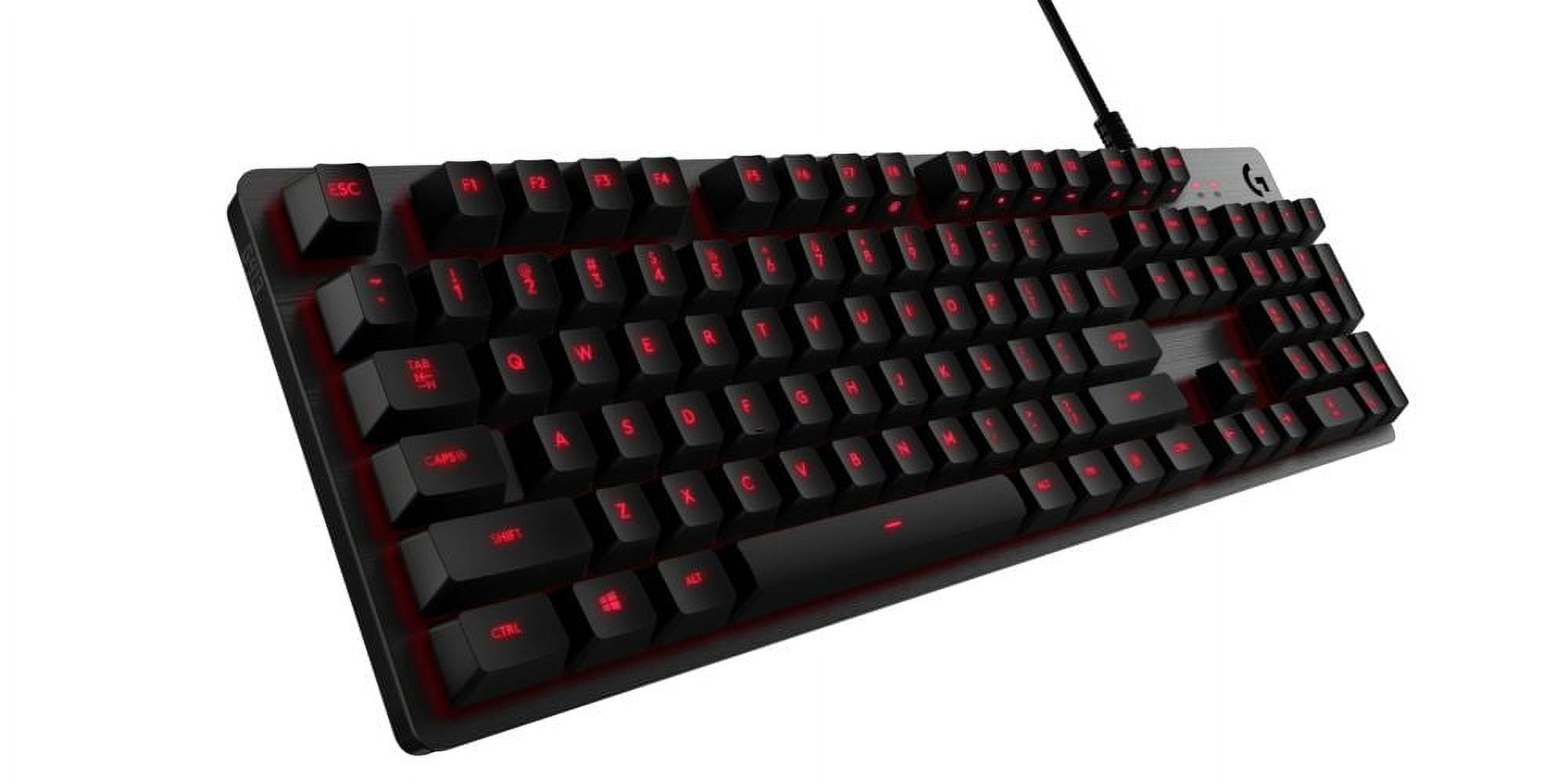
Logitech G413
Logitech G413
Subdued aluminum-top board, Romer-G feel.
- Aluminum top case
- Romer-G tactile switches
- Owners: solid, held up over years
- Fragile keycap stems, per an owner
The G413 is Logitech’s aluminum-top board with proprietary Romer-G tactile switches. Owners call it solid and like the subdued single-color lighting; one a year in reports it held up well with occasional cleaning, while warning the keycap stems are fragile - pull caps only with the tool.
Romer-G is the divisive part: some owners love the feel, others bounced off it, and the non-standard stem means few aftermarket keycap sets fit. One owner reports double-typing appearing after four years - a single anecdote, noted as such.
Pros
- Aluminum top case
- Romer-G tactile switches
- Owners: solid, held up over years
Cons
- Fragile keycap stems, per an owner
- Few aftermarket keycaps fit Romer-G
Redragon K552 (Red Switches)
Redragon K552 (Red Switches)
The budget classic; recent switch failures.
- Tenkeyless budget board
- Red linear switches
- Recent owners report switch failures
- Many variants; check the exact listing
The K552 is the budget board that built Redragon’s name, but the recent owner record gives pause: a 2024 r/MechanicalKeyboards review reports multiple switches dying and blames a switch-supplier change, and a commenter says two of their own units died the same way. Older reports are warmer - one 2018 owner was pleasantly surprised, and a 2020 unit lasted four years before keys repeated and LEDs failed.
One 2018 owner called the switches hot-swappable, but Redragon has shipped many K552 variants over the years and features vary, so check the exact listing. What the record agrees on: switch longevity is the weak point on recent units.
Pros
- Tenkeyless budget board
- Red linear switches
Cons
- Recent owners report switch failures
- Many variants; check the exact listing
Razer BlackWidow V4 (Green Switches)
Razer BlackWidow V4 (Green Switches)
Feature-rich flagship, troubled owner record.
- Razer green clicky switches
- Macro keys, wrist rest, media roller
- Owners report double-typing keys
- Not hot-swappable
The BlackWidow V4 (green switches) is Razer’s current full-size flagship: six macro keys, a magnetic wrist rest, a multi-function roller. But its owner record on r/razer is rough: a thread about this model carries reports of keys double-typing or going unresponsive, with one owner on a second replacement unit and another fixing a double-typing switch by flushing it with isopropyl alcohol.
Some reports in that thread name the V4 Pro sibling specifically, and we are not transferring those. But enough owners tie the behavior to green-switch V4 boards that a buyer should know the pattern exists before choosing this over the older V3.
Pros
- Razer green clicky switches
- Macro keys, wrist rest, media roller
Cons
- Owners report double-typing keys
- Not hot-swappable
Before you buy
Switch type matters more than brand. Linear switches are smooth and quiet, tactile ones have a bump and clicky ones are loud. Smaller layouts save desk space but drop keys, so check which you can live without. Check that the connection type, wired or wireless, fits your setup.
The responses below are not provided, commissioned, reviewed, approved, or otherwise endorsed by any financial entity or advertiser. It is not the advertiser’s responsibility to ensure all posts and/or questions are answered.