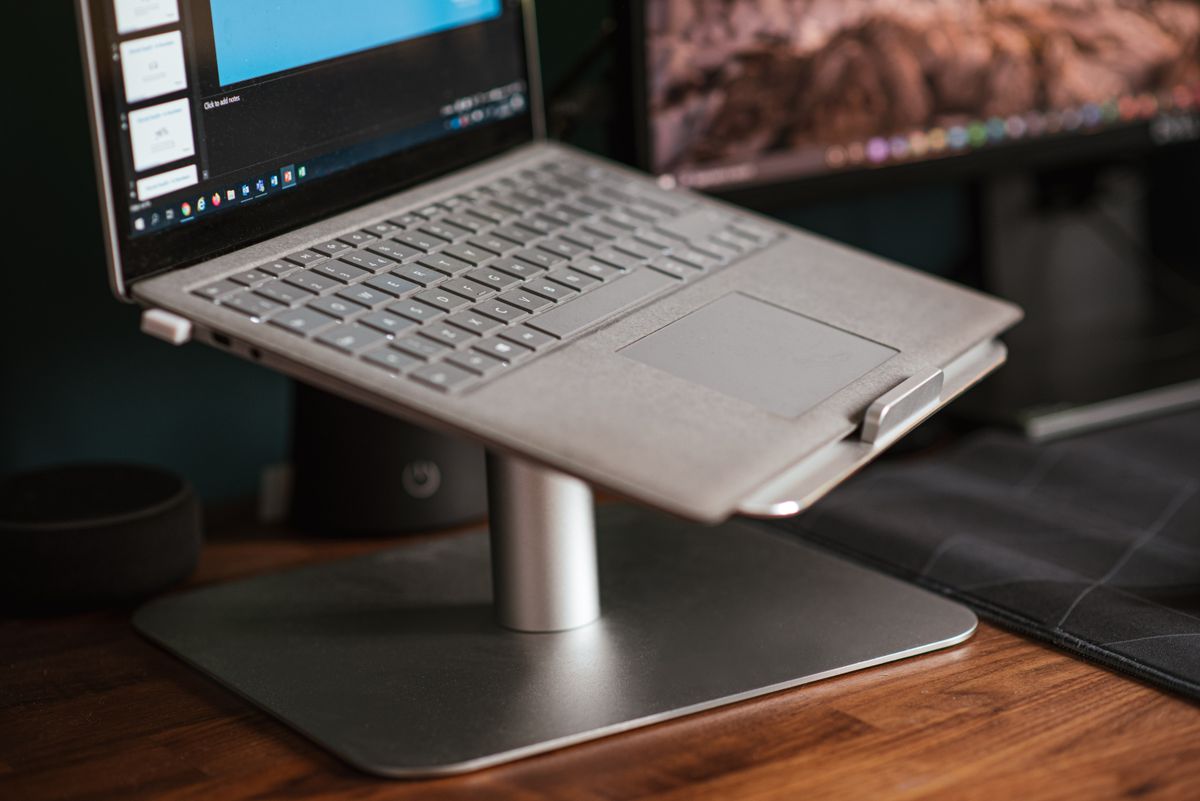
Laptops put the screen too low and the ports in short supply. A stand fixes the first problem and a dock fixes the second. The ten below mix five riser stands, one stand with a dock built in and four hubs and docks, from Rain Design, Twelve South, Roost, Anker, UGREEN, Satechi, Mount-It!, Lifelong and Wavlink. Half link to Amazon; the rest link to Target and Walmart.
Scores are our judgment of each product on its merits, grounded in the owner threads and professional reviews named on each card. We did not test the stands or docks ourselves.
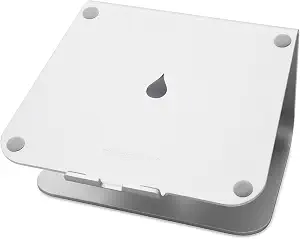
Rain Design mStand Laptop Stand (10032)
One solid piece of aluminum, loved for over a decade.
- One-piece aluminum; rock solid per years of owners
- Rubber bumpers protect the laptop, per owners
- Raises the screen to a fixed eye level
- Fixed height, no adjustment

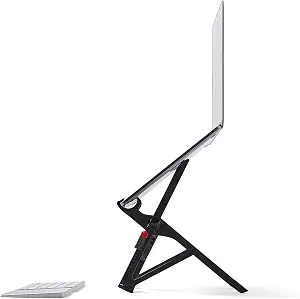
Roost V3 Laptop Stand
The travel stand: 178 grams, seven heights.
- 178g; folds to a 13-inch stick
- 7 height settings, opens to your locked height
- Higher lift than the old V2, per an upgrader
- Laptop lid cannot fully close while docked
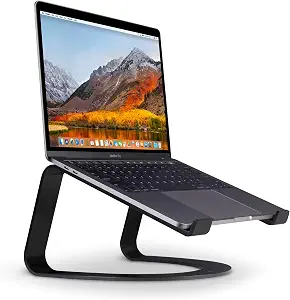
Twelve South Curve Laptop Stand (12-1708)
The fixed stand owners keep on display.
- Owners: no marks, no issues after a year+
- Handles hot 16-inch MacBooks in use
- Lifts the screen 6.5 inches, per Twelve South
- Fixed height; external keyboard required

Anker 8-in-1 USB-C Docking Station, Dual Monitor (A8380)
Dual-monitor dock for Windows; a Mac caveat.
- Dual HDMI, USB-A, Ethernet, SD slots, PD, per Anker
- Windows + DP Alt Mode: two extended monitors
- Compact and bus-powered
- On Mac laptops both HDMIs mirror, per Anker
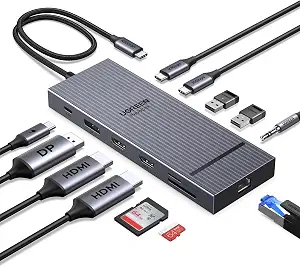
UGREEN Revodok 12-in-1 Triple-Monitor Dock (55767)
The port-monster for demanding desks.
- Triple 4K display output, per UGREEN
- Windows 10/11 hosts with DP Alt Mode, per UGREEN
- 100W PD, Ethernet, SD slots, 10Gbps USB
- macOS externals all mirror, per UGREEN
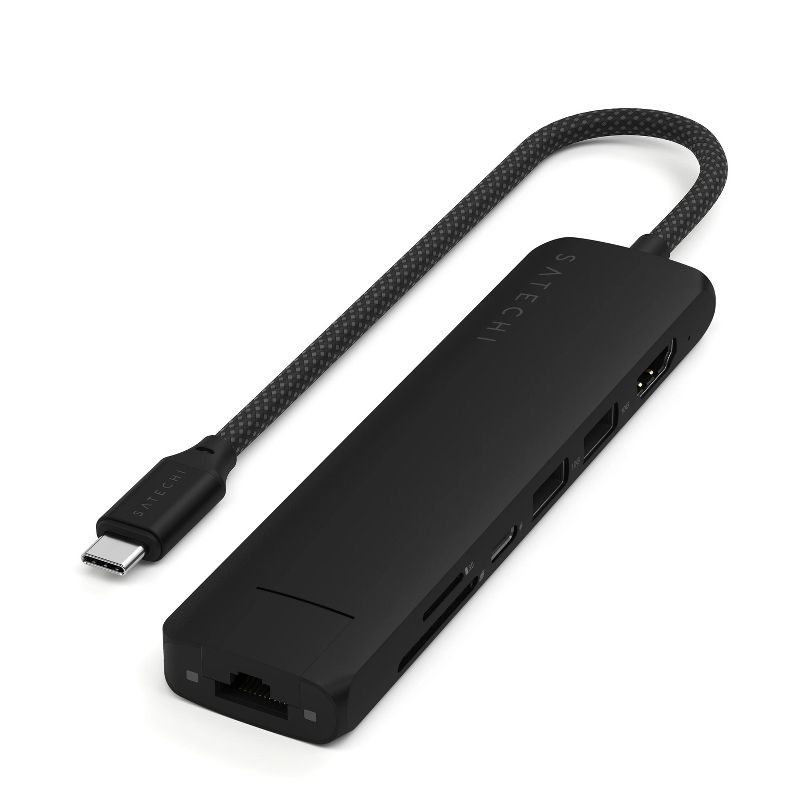
Satechi 7-in-1 USB-C Hub Multiport Adapter
Clean one-cable dock for a MacBook desk.
- Ethernet, 4K60 HDMI, 100W PD, per listing
- Card readers included
- Aluminum build
- Integrated cable, pocketable size

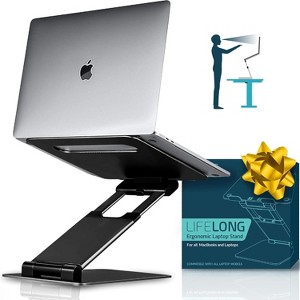
Lifelong Laptop Stand, Adjustable 10-17 in
An adjustable riser that folds flat for storage.
- Height and angle adjustable
- Fits 10-to-17-inch laptops, per listing
- Folds flat for storage
- More moving parts than one-piece stands (design tradeoff)
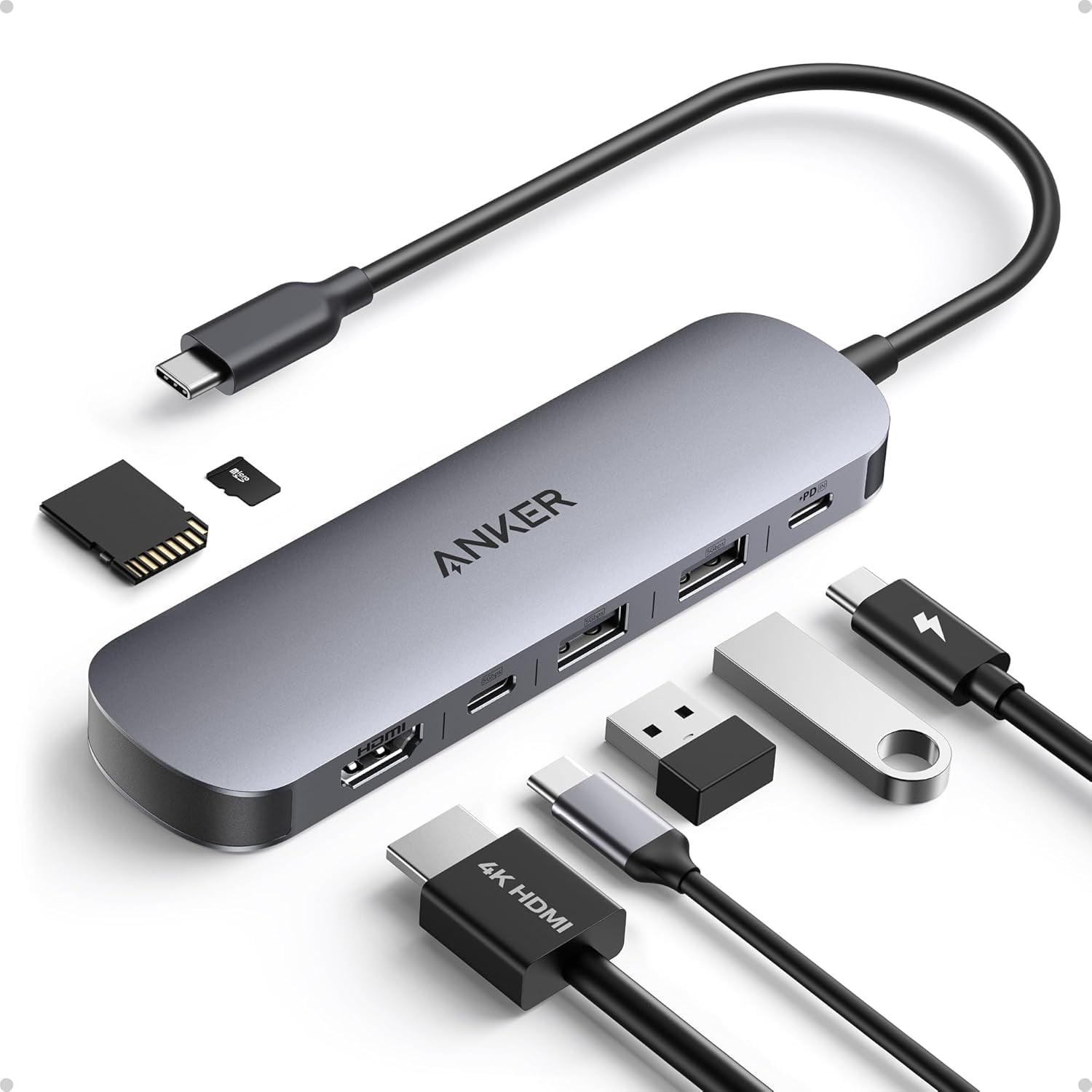
Anker 7-in-1 USB-C Hub (Walmart)
The pocket hub that covers the basics.
- 4K60 HDMI and 85W PD, per listing
- Pocket-size
- SD and TF card readers
- Three USB-A data ports, per listing

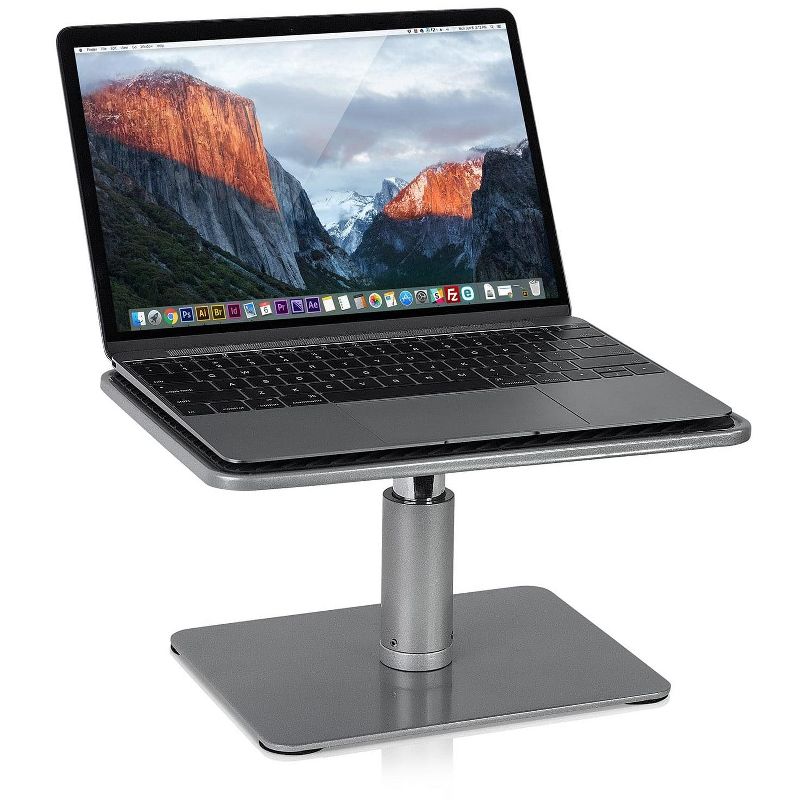
Mount-It! Adjustable Height Laptop Stand
A wide steel riser for laptop or monitor.
- Height-adjustable steel platform
- 30-lb rating covers monitors too, per listing
- Wide platform
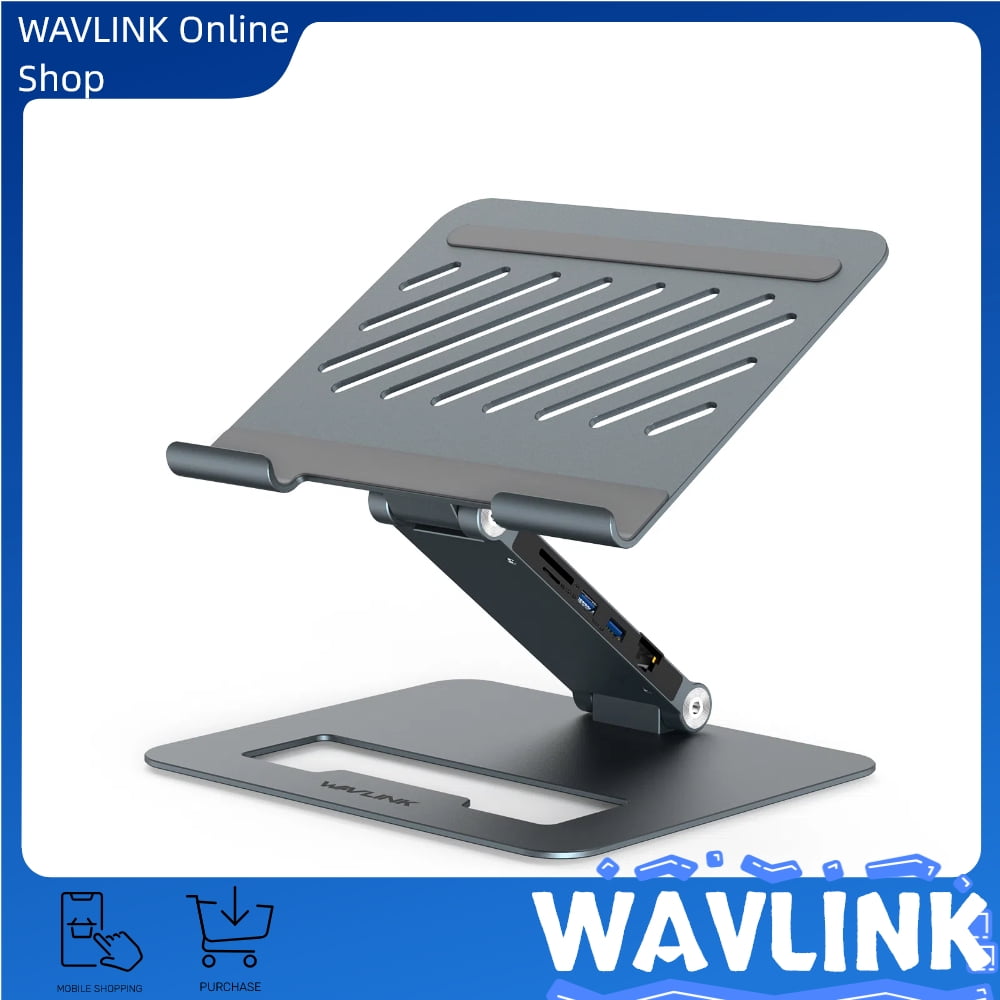
Wavlink Aluminum Laptop Stand with 9-in-1 USB-C Dock
Riser and dock in one footprint.
- Stand and 9-in-1 dock in one
- Adjustable aluminum riser
- One-cable desk setup
- One unit to replace if either half fails (design judgment)
Rain Design mStand Laptop Stand (10032)
Rain Design mStand Laptop Stand (10032)
One solid piece of aluminum, loved for over a decade.
- One-piece aluminum; rock solid per years of owners
- Rubber bumpers protect the laptop, per owners
- Raises the screen to a fixed eye level
- Fixed height, no adjustment
The mStand is a single piece of aluminum with an owner record stretching back over a decade. Owners across years of threads call it rock solid with any MacBook size, credit the rubber bumpers for zero scratches, and one reports the laptop’s fans spin up less because air moves under the machine.
Those reports are old because the design has not changed, which is rather the point. The tradeoff is fixed ergonomics: one height, no adjustment, and it is meant to live on a desk paired with an external keyboard.
Pros
- One-piece aluminum; rock solid per years of owners
- Rubber bumpers protect the laptop, per owners
- Raises the screen to a fixed eye level
Cons
- Fixed height, no adjustment
- Desk-bound; pair with an external keyboard
Roost V3 Laptop Stand
Roost V3 Laptop Stand
The travel stand: 178 grams, seven heights.
- 178g; folds to a 13-inch stick
- 7 height settings, opens to your locked height
- Higher lift than the old V2, per an upgrader
- Laptop lid cannot fully close while docked
The Roost V3 is the travel stand: 178 grams, folding to a 13-inch stick, with seven height settings. An r/onebag owner who upgraded from the V2 says the V3 opens to your locked-in height and props the laptop noticeably higher - worth it alone for taller users.
Owner caveats: the laptop lid cannot close fully while docked, one buyer’s unit shipped without the case, and one owner advises buying through Amazon after the maker’s own store charged a card without confirming or delivering the order.
Pros
- 178g; folds to a 13-inch stick
- Opens to your locked-in height
- Higher lift than the old V2, per an upgrader
Cons
- Laptop lid cannot fully close while docked
- No case included; one owner warns against the maker’s store
Twelve South Curve Laptop Stand (12-1708)
Twelve South Curve Laptop Stand (12-1708)
The fixed stand owners keep on display.
- Owners: no marks, no issues after a year+
- Handles hot 16-inch MacBooks in use
- Lifts the screen 6.5 inches, per Twelve South
- Fixed height; external keyboard required
The Twelve South Curve is a fixed aluminum stand with a design owners like enough to leave on display, and it lifts the screen 6.5 inches off the desk, per Twelve South. Two owners with 16-inch MacBook Pros report a year or more of use with no silicon-band marks and no problems even with the laptop hot from gaming.
It is a fixed height, so it belongs with an external keyboard and mouse. The owner evidence is thin but uniform: the threads we found carry no complaints.
Pros
- Owners: no marks, no issues after a year+
- Handles hot 16-inch MacBooks in use
- Lifts the screen 6.5 inches, per Twelve South
Cons
- Fixed height; external keyboard required
- Thin owner record - few threads found
Anker 8-in-1 USB-C Docking Station, Dual Monitor (A8380)
Anker 8-in-1 USB-C Docking Station, Dual Monitor (A8380)
Dual-monitor dock for Windows; a Mac caveat.
- Dual HDMI, USB-A, Ethernet, SD slots, PD, per Anker
- Windows + DP Alt Mode: two extended monitors
- Compact and bus-powered
- On Mac laptops both HDMIs mirror, per Anker
The Anker 553 (A8380) packs dual HDMI, three USB-A ports, Ethernet, card readers and 100W pass-through charging into one compact hub. On a Windows laptop whose USB-C port supports DP Alt Mode it drives two extended monitors - 2K at 60Hz with DisplayPort 1.4 hosts, 1080p at 60Hz with DP 1.2, per Anker.
Mac buyers need the caveat Anker prints on its own page: Mac laptops do not support MST through this hub, so both HDMI monitors mirror one image. An r/anker owner with an M1 MacBook Air hit exactly that limit. If you run a Mac and need two different pictures on two monitors, this is not the hub for it.
Pros
- Dual HDMI, USB-A, Ethernet, SD slots, PD, per Anker
- Windows + DP Alt Mode: two extended monitors
- Compact and bus-powered
Cons
- On Mac laptops both HDMIs mirror, per Anker
- Host USB-C must support DP Alt Mode
UGREEN Revodok 12-in-1 Triple-Monitor Dock (55767)
UGREEN Revodok 12-in-1 Triple-Monitor Dock (55767)
The port-monster for demanding desks.
- Triple 4K display output, per UGREEN
- Windows 10/11 hosts with DP Alt Mode, per UGREEN
- 100W PD, Ethernet, SD slots, 10Gbps USB
- macOS externals all mirror, per UGREEN
The Revodok 12-in-1 (55767) is the port-monster: triple 4K display output over two HDMI ports and a DisplayPort, 100W power delivery, gigabit Ethernet, SD slots and 10Gbps USB, per UGREEN. Its own compatibility note is blunt: triple extended displays require Windows 10 or 11 and a USB-C port with DP Alt Mode, and on macOS every external monitor shows an identical image - UGREEN tells MacBook owners who want different pictures on each screen to skip this dock.
What we do not have, said plainly: an owner thread or professional review we could confirm for this exact model. The closest review we found was of a faster 8K sibling with a different port layout, so we are not transferring it.
Pros
- Triple 4K display output, per UGREEN
- Windows 10/11 hosts with DP Alt Mode, per UGREEN
- 100W PD, Ethernet, SD slots, 10Gbps USB
Cons
- macOS externals all mirror, per UGREEN
- No confirmed exact-model reviews found
Satechi 7-in-1 USB-C Hub Multiport Adapter
Satechi 7-in-1 USB-C Hub Multiport Adapter
Clean one-cable dock for a MacBook desk.
- Ethernet, 4K60 HDMI, 100W PD, per listing
- Card readers included
- Aluminum build
- Integrated cable, pocketable size
Satechi’s 7-in-1 hub adds Ethernet, 4K-at-60Hz HDMI, 100W pass-through charging and card readers over one USB-C cable, per the listing - the tidy desk-dock for a modern MacBook.
Owner evidence is thin for this exact model, said plainly: the Satechi owner threads we found cover the brand’s other hubs, and we are not transferring their findings. The spec list above is Satechi’s.
Pros
- Ethernet, 4K60 HDMI, 100W PD, per listing
- Card readers included
- Aluminum build
Cons
- Spec claims are the maker’s
- Single HDMI only
Lifelong Laptop Stand, Adjustable 10-17 in
Lifelong Laptop Stand, Adjustable 10-17 in
An adjustable riser that folds flat for storage.
- Height and angle adjustable
- Fits 10-to-17-inch laptops, per listing
- Folds flat for storage
- More moving parts than one-piece stands (design tradeoff)
The Lifelong stand is an adjustable riser for 10-to-17-inch laptops, with height and angle adjustment and a frame that folds flat for storage, per the listing.
Owner evidence, said plainly: we found no owner threads for this exact model. The one Reddit thread we located praising it read like promotion, so we set it aside. The traits above come from the listing.
Pros
- Height and angle adjustable
- Fits 10-to-17-inch laptops, per listing
- Folds flat for storage
Cons
- More moving parts than one-piece stands (design tradeoff)
- No trustworthy owner threads found
Anker 7-in-1 USB-C Hub (Walmart)
Anker 7-in-1 USB-C Hub (Walmart)
The pocket hub that covers the basics.
- 4K60 HDMI and 85W PD, per listing
- Pocket-size
- SD and TF card readers
- Three USB-A data ports, per listing
Anker’s 7-in-1 hub covers the basics - 4K-at-60Hz HDMI, three data ports, SD and TF readers and 85W pass-through charging - in a pocket-size strip, per the listing.
What we do not have, said plainly: the Walmart listing gives no usable model number, and Anker sells several near-identical 7-in-1 hubs, so we could not match owner threads to this exact unit. Treat the spec sheet as the basis here.
Pros
- 4K60 HDMI and 85W PD, per listing
- Pocket-size
- SD and TF card readers
Cons
- Exact model unconfirmed on the listing
- No Ethernet port
Mount-It! Adjustable Height Laptop Stand
Mount-It! Adjustable Height Laptop Stand
A wide steel riser for laptop or monitor.
- Height-adjustable steel platform
- 30-lb rating covers monitors too, per listing
- Wide platform
The Mount-It! riser is a wide steel platform that adjusts in height and, per the listing, holds up to 30 pounds - so it works as a laptop stand or a monitor riser.
Owner evidence, said plainly: the only reviews we found were on retailer pages, which we do not cite, so treat this as a spec-sheet pick. The platform size and 30-pound rating are the maker’s claims.
Pros
- Height-adjustable steel platform
- 30-lb rating covers monitors too, per listing
- Wide platform
Cons
- No non-retailer owner evidence found
- Fixed footprint on a desk
Wavlink Aluminum Laptop Stand with 9-in-1 USB-C Dock
Wavlink Aluminum Laptop Stand with 9-in-1 USB-C Dock
Riser and dock in one footprint.
- Stand and 9-in-1 dock in one
- Adjustable aluminum riser
- One-cable desk setup
- One unit to replace if either half fails (design judgment)
The Wavlink unit combines an adjustable aluminum laptop stand with a 9-in-1 USB-C dock in the base - riser and ports in one footprint, per the listing.
Owner evidence, said plainly: we found no owner threads or professional reviews for this combo unit. One design judgment, not a failure report: in a combo, dock and stand share one fate - if either half fails, both are replaced together.
Pros
- Stand and 9-in-1 dock in one
- Adjustable aluminum riser
- One-cable desk setup
Cons
- No owner or pro reviews found
- One unit to replace if either half fails (design judgment)
Before you buy
Decide whether you need a stand, a dock or both. A riser only helps with posture if you also use an external keyboard and mouse. For docks, check that your laptop supports the number of external displays the listing claims, since that limit often comes from the laptop, not the dock.
The responses below are not provided, commissioned, reviewed, approved, or otherwise endorsed by any financial entity or advertiser. It is not the advertiser’s responsibility to ensure all posts and/or questions are answered.