
Last Updated on: Sep 23, 2026
Which PS4 accessory fixes the part of your setup that needs help?
Start with the problem: a worn controller, limited game storage, unclear chat or a charging routine that fails. Pick the accessory that addresses it. Check controller, cable and storage compatibility before adding equipment that an existing console does not need.
An existing PS4 can need a small practical fix rather than a replacement console. This guide focuses on controllers, storage, chat audio and charging, with no games included. The 2025 buying shortlist includes established accessories, not only products introduced that year. Recommendations use retrieved product details and official setup guidance; no accessory tests were performed for this article.
What We'll Cover
- Which PS4 accessory fixes the part of your setup that needs help?
- Match the problem to the accessory
- Option 1: Old Skool Double-Shock 4 Wired Controller at Target
- Option 2: Seagate Game Drive 2TB for PS4 at Amazon
- Option 3: HyperX Cloud Stinger PS4-Licensed Headset at Amazon
- Option 4: dreamGEAR Dual Power Dock for PS4 at Target
- Option 5: Seagate Portable 2TB External Hard Drive at Target
- Fix the routine before replacing the console
The five picks include two storage approaches alongside controller, headset and charging options. Scores are editorial fit judgments for the uses described, not durability, speed or laboratory test results.
Match the problem to the accessory
| Accessory | Retailer | Documented identity | Best role | Before choosing |
|---|---|---|---|---|
| Old Skool Double-Shock 4 Wired Controller | Target | PS4-compatible; wired; twin analog sticks; 3.5mm headset support | Best Wired Replacement Starting Point | Match exact model and setup |
| Seagate Game Drive 2TB for PS4 | Amazon | External USB 3.0 HDD; 2TB; model STGD2000400 | Best Storage-Capacity Pick | Match exact model and setup |
| HyperX Cloud Stinger PS4-Licensed Headset | Amazon | PS4-licensed; wired; microphone; rotating earcups | Best Chat-and-Audio Pick | Match exact model and setup |
| dreamGEAR Dual Power Dock for PS4 | Target | DualShock 4 charging dock; USB-powered; cable included | Best Two-Controller Routine | Match exact model and setup |
| Seagate Portable 2TB External Hard Drive | Target | 2TB external HDD; USB 3.0 cable; model STGX2000400 | Best General-Purpose Storage Alternative | Match exact model and setup |
Option 1: Old Skool Double-Shock 4 Wired Controller at Target
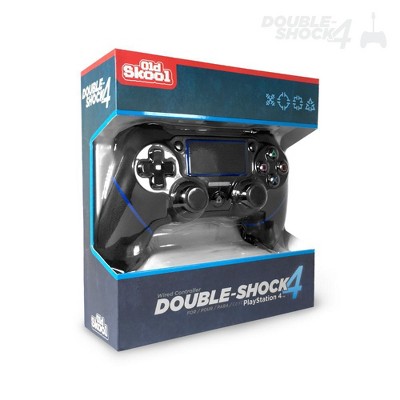
The Old Skool Double-Shock 4 is the wired replacement-controller starting point. The fully retrieved Target page identifies compatibility with PlayStation 4, twin analog sticks and support for a 3.5mm headset. Its role is to address a controller problem on an existing console, not to make the PS4 a different generation of hardware. Keep the exact product identity clear: this is a third-party wired controller, not Sony's DualShock 4. Read the Old Skool Double-Shock 4 Wired Controller product page for the exact listing.
Brand and connection: Old Skool's source description explicitly says wired, and the structured page states no wireless technology. That distinction is useful if wireless freedom is essential to the setup. A replacement controller should not be selected simply because its name resembles the original. The documented signal path is part of the decision, and this guide did not perform a compatibility, latency or feature-completeness test.
Pros: a wired arrangement may suit a console that stays within cable reach of the seat. The named headset support gives a clear audio connection to investigate, while twin analog sticks establish the basic control layout. These features make it a relevant shortlist entry rather than proof that every original-controller function is duplicated. Check the games and console features that matter to you without treating the broad PS4 compatibility statement as a complete specification sheet.
Cons: the product page contains an implausible weight field, so this guide does not repeat it or use it to compare handling. Cable reach also needs checking before replacing a wireless controller with a wired one. The retrieved description does not establish every original Sony feature, so do not assume that the product has an identical touchpad, motion, speaker or accessory behavior solely from its general model-compatibility label.
Options and setup: follow the exact base Double-Shock 4 listing and inspect the included cable and control details before purchase. If the original controller's problem is charging rather than control input, compare the cable and dock entries first. Choose this item when a third-party wired replacement meets the specific console routine. A useful replacement should solve the worn-control problem without introducing an unexamined feature gap that the owner only discovers after opening the box.
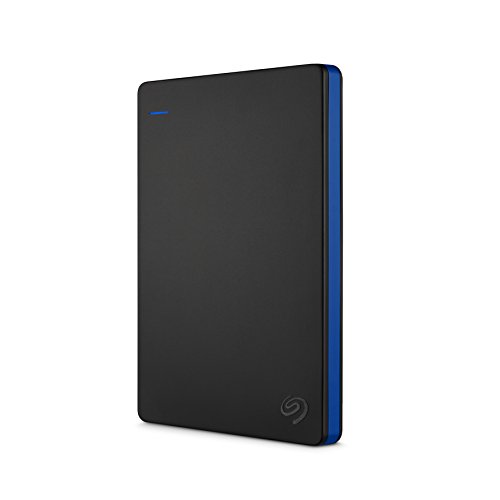
Don't delete games from PS4 consoles just to make room for new ones—store 50+ games with 2TB of portable hard drive storage
Experience no lag gaming and full throttle performance with an external h...
Option 2: Seagate Game Drive 2TB for PS4 at Amazon
The Seagate Game Drive 2TB is the storage-capacity choice for a PS4 that has run out of room for applications. The base Amazon listing identifies an external USB drive and model STGD2000400. Its purpose is to add a supported storage path, not to promise that the console becomes a faster new system. Separate the need for more installed games from claims about load-time performance before deciding what to buy. Read the Seagate Game Drive 2TB for PS4 product page for the exact listing.
Brand and official requirements: Seagate names PS4 compatibility and USB 3.0 connectivity. PlayStation's official extended-storage guidance provides the setup conditions: the console needs the required system software, and a supported drive must meet the stated USB and capacity requirements. That is stronger grounding for the workflow than assuming a game-branded enclosure alone guarantees the right format. Check those official requirements against the actual console before formatting the device.
Pros: the documented 2TB capacity can address the inconvenience of repeatedly removing applications to make room. The source describes a portable USB-powered form factor, which simplifies the physical arrangement around the console. The guide does not convert the retailer's estimated game count into a promise, because installed game sizes vary. Capacity is the useful fact; the number of games depends on the library.
Cons: retailer language about no-lag performance is not a speed test performed by this article. Formatting a drive for extended storage can also erase data already on it, so a used drive needs its contents checked before the setup begins. PlayStation's guidance distinguishes where applications and other data belong; do not assume the external application-storage workflow automatically moves every save, screenshot and video in the same way.
Options and setup: use the base Seagate PS4 drive listing rather than a controller bundle or an internal PS5 SSD. The latter is a different product and installation path. Review the official formatting and safe-disconnection steps, and plan where the cable will sit without being pulled during play. Choose this drive to solve a verified storage-capacity problem, while keeping the setup and data risks separate from the manufacturer's performance wording.

Official PS4 Licensed Headset
Lightweight Headset with 90° rotating ear cups
Immersive in-game audio
Signature HyperX comfort
Durable, adjustable steel sliders
Option 3: HyperX Cloud Stinger PS4-Licensed Headset at Amazon
The HyperX Cloud Stinger PS4-licensed headset is the chat-and-audio pick. The base Amazon page identifies the original Cloud Stinger licensed for PlayStation 4, with a microphone and rotating earcups. It is not the similarly named Stinger 2 or a wireless version. That model distinction matters when comparing controls and connection requirements, even if several headsets share the same brand and general shape. Read the HyperX Cloud Stinger PS4-Licensed Headset product page for the exact listing.
Brand and audio: HyperX's source description names 50mm drivers, an earcup volume slider and a swivel-to-mute microphone. These are product features, not an audio-quality or microphone test performed by this guide. The headset's role is practical: give a PS4 player a clear way to investigate game sound and party chat without replacing the whole console. The manufacturer comfort language is not a guarantee that every wearer will find the same fit.
Pros: a physical volume control and microphone mute action can be useful during ordinary play. Rotating earcups also provide an ownership detail to inspect for storage or breaks. Those features are more concrete than broad claims about pinpoint sound. Check that the intended audio route supports both listening and microphone use rather than assuming a connector that carries sound automatically carries chat in every device arrangement.
Cons: this is not an ANC travel-headphone recommendation. A noise-cancellation microphone description concerns the outgoing voice path, not necessarily active cancellation of all sound reaching the ears. The listing also includes conditional language about another console generation, so this guide does not use it as an unconditional PS5 compatibility statement. Its recommendation is scoped to the PS4 use documented by the page.
Options and setup: follow the exact original PS4-licensed Cloud Stinger entry and verify the connection and included parts on the selected item. If the main problem is a damaged controller headset jack, a new headset may not solve it; inspect the source of the fault first. Choose the HyperX when a headset is the part the existing setup needs. The useful purchase is one that fixes audio or chat, not another accessory added solely because its box carries a familiar gaming brand.
Quick reference for the three accessories above.
| Product | Key labels | Score | Award |
|---|---|---|---|
| Old Skool Double-Shock 4 Wired Controller | PS4-compatible; wired; twin analog sticks; 3.5mm headset support | 8.1 | Best Wired Replacement Starting Point |
| Seagate Game Drive 2TB for PS4 | External USB 3.0 HDD; 2TB; model STGD2000400 | 8.4 | Best Storage-Capacity Pick |
| HyperX Cloud Stinger PS4-Licensed Headset | PS4-licensed; wired; microphone; rotating earcups | 8.2 | Best Chat-and-Audio Pick |
Option 4: dreamGEAR Dual Power Dock for PS4 at Target
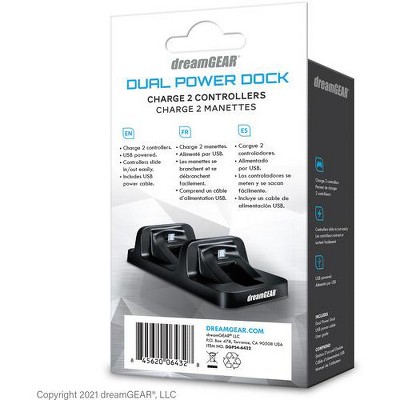
The dreamGEAR Dual Power Dock is the two-controller charging-routine option. The fully retrieved Target page identifies the DGPS4-6432 and support for DualShock 4 controllers, with USB power from the PS4. That is a different problem from replacing a worn controller. If the controls work but one is routinely uncharged, the charging arrangement deserves attention before the owner buys a new input device. Read the dreamGEAR Dual Power Dock for PS4 product page for the exact listing.
Brand and fit: dreamGEAR's source description names a slide-in design without a dongle and lists the dock, USB cable and user guide as included parts. These are documented package details rather than a charging-speed result. This article did not test charge time, battery health or the dock with third-party controllers. DualShock 4 compatibility should not be expanded automatically to every controller sold for PlayStation 4.
Pros: a dedicated place for two compatible controllers can make the between-session routine easier to remember. USB power from the console also gives a clearer setup story than assuming a separate wall charger is required. Consider where the dock will sit and whether the console's power settings support the intended charging routine. The physical arrangement is part of the value, not merely the number of charging positions.
Cons: a dock does not repair a worn battery or solve a fault inside a controller. If charging is unreliable even with a known-good cable and power source, replacing the dock alone may not fix it. The product page's broad descriptive language also is not proof of faster charging than another method. This guide makes no charging-rate or battery-life improvement claim based on the listing's design description.
Options and setup: follow the exact DualShock 4 dock page and check the actual controllers before choosing it. Leave the dock where controllers can be returned after play, without a cable crossing a walking path. Choose this option when two working controllers need a clearer charging habit. If only one controller is used or the cable itself is damaged, a compatible replacement cable may be enough. Match the fix to the routine instead of buying a dock because it makes the shelf look more like a gaming display.
Option 5: Seagate Portable 2TB External Hard Drive at Target
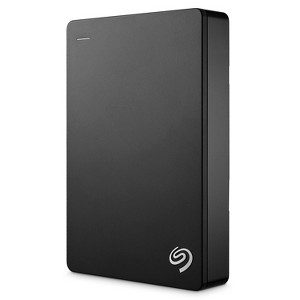
The Seagate Portable 2TB is a general-purpose storage alternative rather than another PS4-specific enclosure. The retrieved Target listing identifies STGX2000400, a 2TB external hard drive with an included USB 3.0 cable. Its title includes PlayStation, while the main description focuses on Windows and Mac. Keep that difference visible: a broad retailer title does not replace the console's official extended-storage setup requirements. Read the Seagate Portable 2TB External Hard Drive product page for the exact listing.
Brand and setup: Seagate's description explains computer connection and file storage, not every step of PS4 formatting. PlayStation's official guidance supplies the console-side conditions for compatible extended storage. Match the exact drive's USB connection and capacity to those requirements before using it, and follow the console's format procedure rather than assuming the computer's drag-and-drop workflow applies unchanged. A drive used for PS4 applications needs the correct setup for that purpose.
Pros: the documented 2TB capacity and included cable give a clear starting point for a capacity problem. A general-purpose drive may suit someone who wants to compare the ordinary enclosure with the gaming-branded entry above. This article does not claim that a different label improves speed or reliability. The useful comparison is identity, capacity, interface and the setup the console needs, rather than a promised number of games.
Cons: the Target page's structured speed fields are not relied on here, since they are not a sound basis for judging this portable HDD's actual performance. This guide did not test transfer rate, game loading or long-term durability. The listing is sold through a Target marketplace partner, so inspect the exact product and seller terms rather than treating the retailer's name as a manufacturer guarantee.
Options and setup: use the exact STGX2000400 entry, not a different Seagate capacity or an internal SSD intended for another console. Check any data already on the drive before formatting; console extended-storage formatting can erase existing files. Read the official safe-disconnection instructions and leave the USB cable where it cannot be pulled accidentally. Choose this alternative when the documented capacity and interface meet a verified PS4 need. A generic external drive is not a plug-in promise that every save or screenshot moves with the installed applications.
Fix the routine before replacing the console
Start with the worn or inconvenient part of the existing setup. Check the controller model before buying charging equipment, the microphone path before buying a headset, and official extended-storage requirements before formatting a drive. A focused accessory can solve a real problem; a pile of unrelated extras usually cannot.
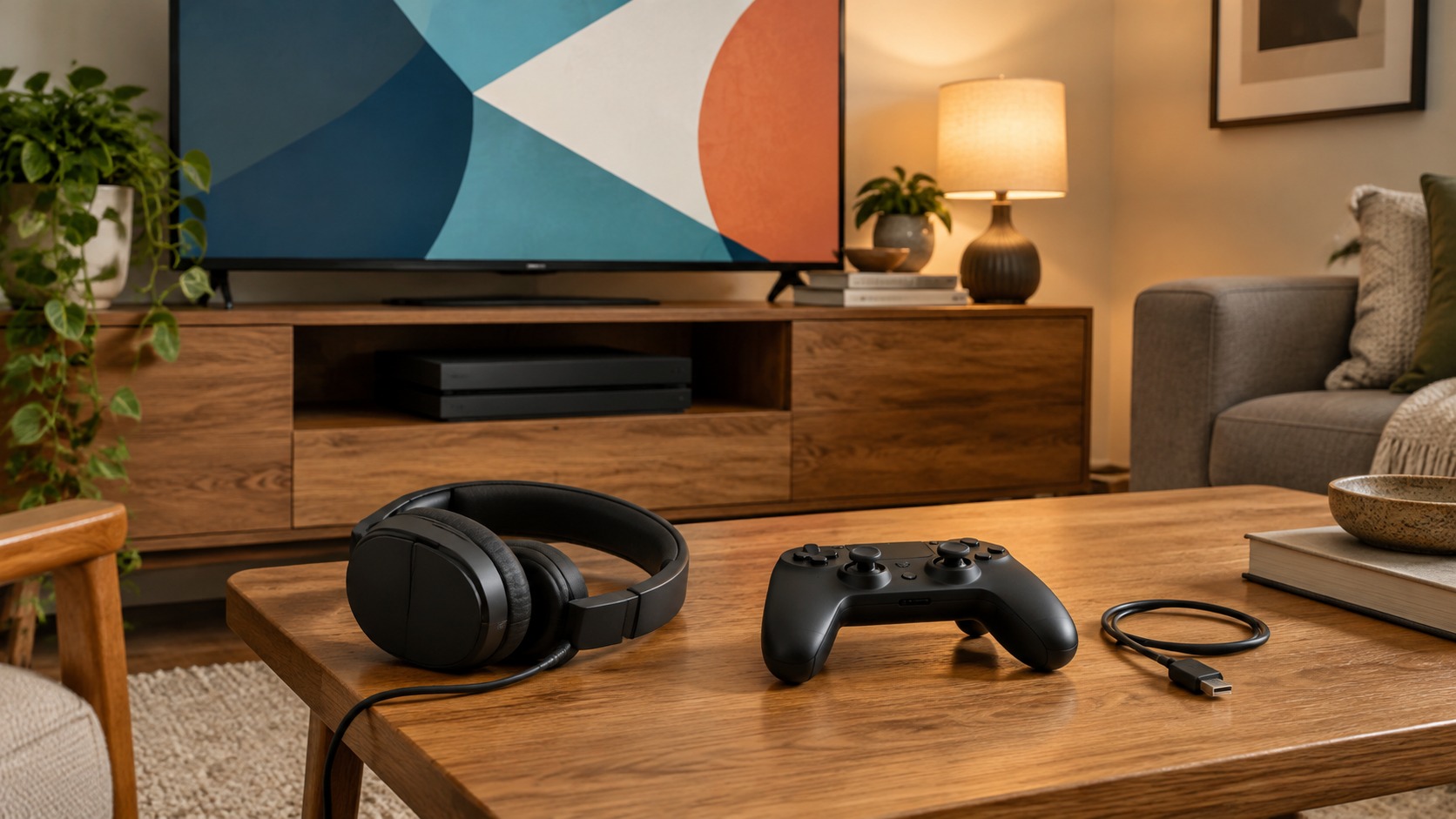
Image credit: two AI-generated generic home-gaming illustrations, not photographs of listed accessories. Product details: Amazon and Target listings, plus official PlayStation storage guidance. No accessory tests were performed for this guide. This post contains affiliate links; we may earn a commission on qualifying purchases at no extra cost to you.
The responses below are not provided, commissioned, reviewed, approved, or otherwise endorsed by any financial entity or advertiser. It is not the advertiser’s responsibility to ensure all posts and/or questions are answered.