


Last Updated on: Sep 24, 2026
Which monitor fits your workday and desk connections?
The Dell P2725QE is a useful starting point for a laptop-centered workday. Choose the ASUS ProArt for color-focused tasks, a Thunderbolt hub for a fuller workstation, or the Acer Nitro when gaming leads. Match resolution, charging and connections to the computer you use.
A monitor should make the desk easier to use, not add another connection puzzle. Text clarity, laptop power, stand adjustment and gaming needs deserve separate attention. This 2025 buying shortlist includes models introduced in different years, not only new releases. Recommendations use retrieved product details and independent coverage; no first-hand monitor testing was performed for this article.
What We'll Cover
- Which monitor fits your workday and desk connections?
- Compare the display and the desk connection separately
- Option 1: Dell P2725QE 27-inch 4K USB-C Hub Monitor at Target
- Option 2: ASUS ProArt PA279CRV 27-inch 4K Monitor at Amazon
- Option 3: BenQ PD2705U 27-inch 4K Monitor at Amazon
- Option 4: Samsung ViewFinity S8 S80UD 27-inch 4K Monitor at Amazon
- Option 5: Dell P2725HE 27-inch USB-C Hub Monitor at Amazon
- Option 6: Acer Nitro XV272U V3 27-inch Gaming Monitor at Amazon
- Option 7: ViewSonic VX2776-4K-MHDU 27-inch 4K Monitor at Amazon
- Option 8: Dell UltraSharp U2725QE 27-inch 4K Monitor at Target
- Option 9: LG UltraFine 27US550 27-inch 4K Monitor at Target
- Option 10: ViewSonic VX2776-4K-MHDU 27-inch 4K Monitor at Target
- Choose the daily workflow before the display label
The ten rows include retailer alternatives, not ten unique monitor models. Scores are editorial fit judgments for the uses described, not measured laboratory results. Duplicate models keep the same score because a different retailer does not improve display performance.
Compare the display and the desk connection separately
| Monitor | Retailer | Documented identity | Best role | Before choosing |
|---|---|---|---|---|
| Dell P2725QE 27-inch 4K USB-C Hub Monitor | Target | 4K IPS; USB-C up to 90W; adjustable stand; Ethernet | Best Everyday Docking Pick | Match exact model and seller |
| ASUS ProArt PA279CRV 27-inch 4K Monitor | Amazon | 4K IPS; USB-C up to 96W; factory calibration; wide color gamut | Best Color-Work Pick | Match exact model and seller |
| BenQ PD2705U 27-inch 4K Monitor | Amazon | 4K IPS; USB-C 65W; KVM; HotKey Puck | Best Design-Desk Controls | Match exact model and seller |
| Samsung ViewFinity S8 S80UD 27-inch 4K Monitor | Amazon | 4K; USB-C up to 90W; LAN; KVM; adjustable stand | Best Two-Computer Workstation | Match exact model and seller |
| Dell P2725HE 27-inch USB-C Hub Monitor | Amazon | Full HD IPS; USB-C hub; 100Hz | Best Full-HD Docking Alternative | Match exact model and seller |
| Acer Nitro XV272U V3 27-inch Gaming Monitor | Amazon | 2560 x 1440 IPS; up to 180Hz; FreeSync Premium | Best After-Work Gaming Pick | Match exact model and seller |
| ViewSonic VX2776-4K-MHDU 27-inch 4K Monitor | Amazon | 4K IPS; 60Hz; USB-C up to 65W; HDMI and DisplayPort | Best Straightforward USB-C Pick | Match exact model and seller |
| Dell UltraSharp U2725QE 27-inch 4K Monitor | Target | 4K IPS Black; 120Hz; Thunderbolt hub; up to 140W | Best Full Workstation Hub | Match exact model and seller |
| LG UltraFine 27US550 27-inch 4K Monitor | Target | 4K IPS; HDR10; model 27US550 | Best Display-First Shortlist | Match exact model and seller |
| ViewSonic VX2776-4K-MHDU 27-inch 4K Monitor | Target | 4K IPS; 60Hz; USB-C up to 65W; HDMI and DisplayPort | Best ViewSonic Retailer Alternative | Match exact model and seller |
Option 1: Dell P2725QE 27-inch 4K USB-C Hub Monitor at Target
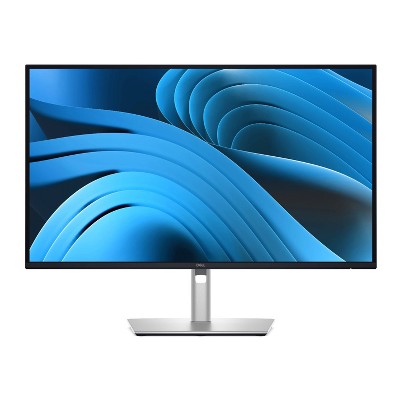
The Dell P2725QE is the starting point for a laptop-centered workday. The Target page identifies a 27-inch 4K IPS display with a USB-C hub and up to 90W power delivery. Its role is straightforward: combine the display and some desk connections in one device rather than choose a monitor first and discover the docking problem afterward. Check the exact P2725QE code, because the similarly named P2725HE has a different resolution. Read the Dell P2725QE 27-inch 4K USB-C Hub Monitor product page for the exact listing.
Brand and display: Dell's productivity monitors tend to make the stand and connections part of the product rather than an optional extra. PCMag's 2025 review praised this model's ergonomics, port selection and image quality. That provides independent context for the recommendation. It does not mean this guide measured the screen, and we do not transfer the reviewer's brightness or color-test figures into our own score.
Pros: the documented USB-C display connection, laptop power and Ethernet make it useful for a fixed workstation. A height-adjustable stand also deserves attention when you spend a full workday reading the screen. These are practical reasons to consider the model even if gaming is not the priority. A clear connection plan can be more valuable than an impressive label on a screen that still needs a separate dock.
Cons: the Target description says 100Hz while a structured field says 160Hz. That disagreement should not become a confident claim that both modes are present. This table avoids the disputed number and recommends checking Dell's exact model documentation before buying for a required refresh rate. The page also names Focus Camera as the seller and shipper, so do not assume direct Target fulfillment.
Options and setup: plan the laptop's display and charging needs together. Up to 90W is a stated power limit, not a guarantee that every computer can run at full load without its original adapter. Check video support and the cable as well as the connector shape. Choose the P2725QE when 4K text and a dock-like monitor match the daily desk routine, not solely because the product name contains USB-C.

High-Resolution Display: 27-inch 4K (3840 x 2160) LED backlight HDR display with 178 wide-view IPS panel
Wide Color Gamut Coverage: 99% DCI-P3 and 99% Adobe RGB coverage for accurate and vibrant co...
Option 2: ASUS ProArt PA279CRV 27-inch 4K Monitor at Amazon
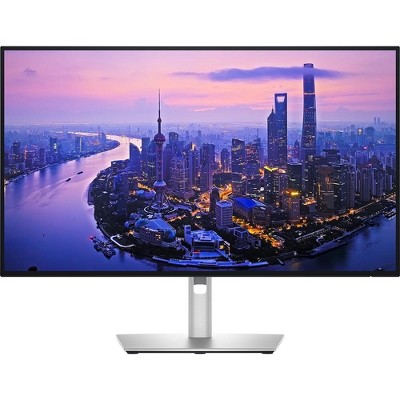
The ASUS ProArt PA279CRV is the creative-work choice when color handling is a real part of the job. The base Amazon listing and ASUS product page identify a 27-inch 4K IPS monitor, wide color-gamut coverage and USB-C power delivery up to 96W. Its role differs from the faster gaming option later in this guide. Choose it because the work benefits from its color tools and connections, not because professional branding makes every task better. Read the ASUS ProArt PA279CRV 27-inch 4K Monitor product page for the exact listing.
Brand and color: ASUS lists 99% DCI-P3 and 99% Adobe RGB coverage, Calman verification and factory calibration. Those are manufacturer specifications, not measurements performed for this article. A factory-calibrated display is a useful starting point, but it does not remove the need to understand the color space, software and output destination used in a project. A print workflow and a web-image workflow can require different decisions.
Pros: the combination of 4K resolution, adjustable stand and USB-C connection suits a creator's main desk. The source documentation also names DisplayPort daisy-chaining and other display inputs. That makes the monitor worth considering in a multi-screen plan, provided the computer and operating system support the intended chain. Write down that plan before assuming one cable will create the exact workspace you want.
Cons: a broad gamut is not the same as automatic color accuracy in every application. The retrieved manufacturer page also contains newer software and accessory information, so this retrospective shortlist does not claim that every current feature or offer was present in 2025. Temporary subscriptions and extended-warranty offers are deliberately left out of the recommendation. They can change without altering the monitor's basic identity.
Options and setup: use the base PA279CRV rather than a renewed unit or two-pack bundle when following this link. Check whether the laptop can accept the stated USB-C power and output the resolution you need. Keep a familiar project available when evaluating the display instead of judging color from a bright marketing image. Choose this model for a deliberate creative workflow, with the source's color specifications kept separate from any claim of first-hand testing.

27” 3840x2160 UHD 16:9 HDR IPS 4K Monitor
99% sRGB and Rec.709 color spaces
USB Type-C All-in-One connectivity
Option 3: BenQ PD2705U 27-inch 4K Monitor at Amazon
The BenQ PD2705U is the design-desk option for someone who values controls and switching as much as resolution. The base listing identifies a 27-inch 4K IPS monitor with 65W USB-C power, a KVM feature and a HotKey Puck. These features create a different workday proposition from simply buying a screen with more pixels. They are worth considering when several tools or computers share the same desk. Read the BenQ PD2705U 27-inch 4K Monitor product page for the exact listing.
Brand and image: BenQ names its AQCOLOR approach and 99% sRGB and Rec.709 coverage. Those are retrieved product specifications rather than color measurements from this article. The monitor's stated focus fits a design workflow, but a product name such as Mac-Ready is not a promise about every computer, cable or application. Start with the exact laptop or desktop and the color space the work requires.
Pros: an external control puck can make changing settings less awkward than reaching under the screen. A KVM can also be useful if your intended computer connections support the way you want to share keyboard and mouse. The USB-C link gives a compatible laptop a combined display-and-power path, reducing some desktop clutter. Each feature has a concrete role, which is more helpful than treating every specification as equally important.
Cons: the 65W charging figure deserves attention if you use a demanding laptop. Compare it with your computer's actual power requirements, especially under sustained work. Also check the precise KVM connection diagram rather than assuming that attaching two video cables automatically shares every accessory. This guide does not verify a specific two-computer setup and should not be read as a guarantee for one.
Options and setup: the linked item is the PD2705U, not another BenQ model with similar design language. Think about where the puck, laptop and frequently used accessories will sit, then check cable reach and the stand position. If maximum gaming refresh is the main goal, compare the Acer entry instead. Choose the BenQ when a controlled creative workstation and convenient switching are more important than a headline speed figure, while keeping calibration claims grounded in the manufacturer listing.
Quick reference for the three retailer entries above.
| Product | Key labels | Score | Award |
|---|---|---|---|
| Dell P2725QE 27-inch 4K USB-C Hub Monitor | 4K IPS; USB-C up to 90W; adjustable stand; Ethernet | 8.8 | Best Everyday Docking Pick |
| ASUS ProArt PA279CRV 27-inch 4K Monitor | 4K IPS; USB-C up to 96W; factory calibration; wide color gamut | 8.9 | Best Color-Work Pick |
| BenQ PD2705U 27-inch 4K Monitor | 4K IPS; USB-C 65W; KVM; HotKey Puck | 8.7 | Best Design-Desk Controls |

DISCOVER DEEPER DETAILS: 4K UHD (3840x2160) Resolution reveals increased detail; More screen space & greater color detail enable a smoother workflow for designers & creators to build dynamic video ...
Option 4: Samsung ViewFinity S8 S80UD 27-inch 4K Monitor at Amazon
The Samsung ViewFinity S8 S80UD is the two-computer workstation candidate. The linked Amazon page identifies the 27-inch LS27D802UANXGO, a 4K display, USB-C charging up to 90W, a LAN port and a built-in KVM. It is a 2024 model included in a 2025 buying shortlist, not a claim that every recommended monitor debuted that year. Follow the exact code rather than assuming all S8 monitors have the same connection set. Read the Samsung ViewFinity S8 S80UD 27-inch 4K Monitor product page for the exact listing.
Brand and workflow: Samsung's pitch here is a screen that organizes the desk as well as showing the computer's output. The listing names picture-in-picture and picture-by-picture functions alongside its switching features. Those can be useful to investigate when a work laptop and personal computer share a monitor. They do not establish that every pairing of machines, cables and peripherals works without configuration.
Pros: the stated combination of 4K, wired-network access and laptop power addresses several common workstation needs together. The adjustable stand can also be useful for long documents or changing between sitting positions. Think of these features as parts of a routine: connecting in the morning, sharing accessories, reading clearly and disconnecting at the end of the day. A monitor that supports that routine is easier to choose than one compared only by panel size.
Cons: KVM is a feature to verify, not a blanket compatibility guarantee. The video and USB upstream paths may need separate connections depending on the computer. The source's eye-care language also should not be turned into a medical claim about preventing discomfort. Set a readable text size and practical room lighting rather than assuming a certification alone solves an uncomfortable desk.
Options and setup: select the base S80UD listing rather than a newer S8 variant or a bundled offer. Compare the stated 90W maximum with your laptop's charging needs and check USB-C display-output support. Decide whether Ethernet and computer switching will actually be used; if not, a simpler screen may do the job. Choose this Samsung when the documented desk features solve a real two-machine workflow, with unresolved compatibility questions checked before purchase.

Resolution: 1920 x 1080, Panel type: airplane switch (IPS)
Refresh rate: 100 Hz, colour range: 99% sRGB
Viewing angle, 178° (V and H), built-in aspect ratio: 16:9
Response time: 5ms G-to-G (fast mo...
Option 5: Dell P2725HE 27-inch USB-C Hub Monitor at Amazon
The Dell P2725HE is the Full-HD docking alternative, not a lower-priced version of the 4K P2725QE under an identical name. The linked base listing identifies the 27-inch P2725HE, while Dell's product documentation confirms 1920 by 1080 resolution and a USB-C hub. That difference should be explicit. A monitor's role can be useful even when it does not maximize pixel count, but the buyer should know which tradeoff is being made. Read the Dell P2725HE 27-inch USB-C Hub Monitor product page for the exact listing.
Brand and display: Dell's documentation names an IPS panel, support for 100Hz and a USB-C upstream connection with up to 90W power delivery. These are source specifications, not results from our own testing. They make the P2725HE a candidate for someone who wants a dock-like screen and does not need the 4K resolution of several other entries. The stand and connection plan belong in that decision alongside text density.
Pros: a USB-C hub can make arriving at the desk simpler for a compatible laptop. Dell's documented power limit may also suit many ordinary workday machines, subject to their actual requirements. The 100Hz specification gives this office-focused model a different motion profile from a conventional 60Hz display. It is still not a reason to treat it as equivalent to a high-refresh gaming monitor with a different panel and resolution.
Cons: Full HD at 27 inches is an important distinction if small text or dense spreadsheets dominate the day. Do not choose it while assuming the QE model's 4K specification carries over. The base retailer heading contains little detail, so the official model page is the grounding for those display and connection claims. A similar model name is a research lead, not evidence of identical hardware.
Options and setup: try the text size and viewing distance you actually use before committing to the resolution tradeoff. Check the computer's display-output and charging support as separate requirements. Choose this model if a practical dock-like Full-HD workstation is the goal, and move back to the 4K choices if reading finer text is the stronger priority. The right answer depends on the workday, not simply on which specification number is larger.

27" WQHD (2560 x 1440) Widescreen Agile-Splendor IPS 400 Gaming Monitor | AMD FreeSync Premium Technology
Refresh Rate: Up to 180Hz| Response Time: Up to 0.5ms (G to G) | VESA Certified DisplayHDR ...
Option 6: Acer Nitro XV272U V3 27-inch Gaming Monitor at Amazon
The Acer Nitro XV272U V3 is the after-work gaming option, with a different resolution and speed balance from the 4K office monitors. The linked base listing identifies a 27-inch 2560 by 1440 IPS display, support up to 180Hz and AMD FreeSync Premium. Keep the V3 designation and full model code in view. Other XV272U variants appear in search results and should not be treated as the same item. Read the Acer Nitro XV272U V3 27-inch Gaming Monitor product page for the exact listing.
Brand and gaming: Acer's Nitro line places responsive gaming among its main goals. The source listing names DisplayPort 1.2 and two HDMI 2.0 inputs as well as an adjustable stand. Those documented features make it a sensible candidate to investigate for a desk used for both work and games. This guide did not measure response time or input lag, and the advertised minimum response figure is not adopted as our own test result.
Pros: a 1440p high-refresh display gives the shortlist an alternative to choosing 4K first. The height, tilt, swivel and pivot adjustments named in the page also matter during a workday. A capable gaming computer and suitable cable are needed to make use of the fastest supported mode. Choose the resolution and refresh combination together instead of assuming that the panel's highest figure applies to every input or source.
Cons: the retrieved connection list is not a USB-C laptop-docking specification. If one-cable charging and display output are your main requirement, compare the other entries rather than hoping the Nitro name covers it. DisplayHDR 400 certification is also not a promise of the same HDR experience as every television or higher-end monitor. The source provides a certification label, not a complete picture-quality verdict.
Options and setup: use the base XV272U V3 link rather than the similarly named Vbmiiprx or another bundle. Check how the computer will connect and which modes are available through that route. If the workday depends on fine 4K text, compare the productivity picks carefully; if gaming is the stronger priority, this model earns a separate place in the decision. It is a different compromise, not a universal winner over the office screens.
Quick reference for the three retailer entries above.
| Product | Key labels | Score | Award |
|---|---|---|---|
| Samsung ViewFinity S8 S80UD 27-inch 4K Monitor | 4K; USB-C up to 90W; LAN; KVM; adjustable stand | 8.6 | Best Two-Computer Workstation |
| Dell P2725HE 27-inch USB-C Hub Monitor | Full HD IPS; USB-C hub; 100Hz | 8.2 | Best Full-HD Docking Alternative |
| Acer Nitro XV272U V3 27-inch Gaming Monitor | 2560 x 1440 IPS; up to 180Hz; FreeSync Premium | 8.6 | Best After-Work Gaming Pick |

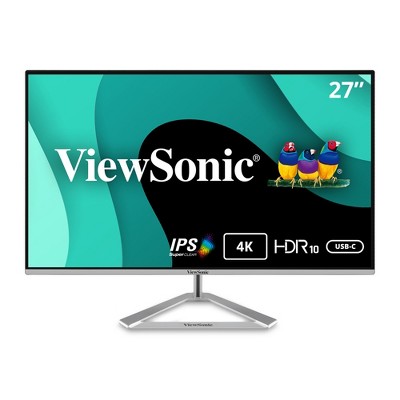
Stunning 4K Ultra HD Entertainment: Elevate your home office with this 27 Inch 4K (3840 x 2160) IPS monitor; the high-resolution display and ultra-slim profile provide four times the detail of stan...
Option 7: ViewSonic VX2776-4K-MHDU 27-inch 4K Monitor at Amazon
The ViewSonic VX2776-4K-MHDU is the straightforward 4K USB-C option. The base listing identifies a 27-inch IPS monitor, 60Hz refresh rate and laptop charging up to 65W. That gives it a clear role for someone who wants a readable desktop and a simpler connection plan without making high-refresh gaming the main goal. The MHDU suffix matters because similarly named ViewSonic listings can describe a different port configuration. Read the ViewSonic VX2776-4K-MHDU 27-inch 4K Monitor product page for the exact listing.
Brand and display: ViewSonic's source description names HDMI and DisplayPort alongside USB-C. Those are practical details to compare with the computer rather than a reason to assume universal compatibility. This guide relies on the retrieved product information and did not test color accuracy, latency or charging. The monitor's HDR10 label is kept as a content-support specification, not promoted into a claim of high-end HDR picture quality.
Pros: 4K and a USB-C power-and-display path can make sense for a laptop desk with ordinary office tasks. The 60Hz rate also keeps the use case honest: the model is not recommended here as the high-refresh gaming choice. If most of the day involves documents, browser windows and occasional entertainment, the connection arrangement may be more important than a faster panel you rarely use.
Cons: one feature line mixes 60W wording with 65W charging, while the main description states 65W. This guide uses the stated charging maximum but flags the inconsistency as a reason to check the exact documentation. A 65W limit may not meet a demanding laptop's needs under load. The listing names tilt adjustment, so do not assume the more extensive stand adjustments of other monitors in this article.
Options and setup: follow the base MHDU listing and check the actual laptop's display-output support before choosing the cable. If stand height needs correction, investigate a compatible mount separately rather than assuming the included stand can make every adjustment. Choose the ViewSonic when straightforward 4K office use and its verified connection set fit the desk. Move to the gaming or fuller docking picks when those tasks require features that this retrieved listing does not establish.
Option 8: Dell UltraSharp U2725QE 27-inch 4K Monitor at Target
The Dell UltraSharp U2725QE is the fullest workstation-hub choice in this guide. The Target listing identifies a 27-inch 4K IPS Black display, 120Hz refresh rate and Thunderbolt connectivity. Windows Central's review provides independent context for that combination and praises the monitor's role at the center of a connected desk. This is a different product from the P2725QE, so the extra letter and series name are not details to skim past. Read the Dell UltraSharp U2725QE 27-inch 4K Monitor product page for the exact listing.
Brand and workstation: Dell pairs the screen with a wide connection set rather than treating it as a display-only accessory. The source listing and independent review describe power delivery up to 140W through the relevant Thunderbolt connection. That capability is meaningful only with a compatible computer and cable. A large charging figure is not a promise that every laptop or port accepts that amount of power.
Pros: 4K and 120Hz create a useful productivity combination, while the hub can connect several desk accessories. Windows Central specifically discusses using it across a desktop and a Thunderbolt-equipped laptop. That is one reviewer's setup, not a guarantee for every pairing of computers. The practical attraction is reducing separate boxes and managing the workstation through a monitor that was designed for that role.
Cons: more hub capability is unnecessary if the desk uses only a single video cable and no accessories. The independent review also raises cable-length concerns, so check reach before assuming the included cables suit the room. The Target page is sold and shipped by Beach Camera. Read that seller's terms separately rather than assuming direct Target fulfillment or identical service arrangements across retailers.
Options and setup: map the connections before choosing this model: computer, second computer, network, webcam, storage and input devices. Then verify which ports handle display, data and power in the arrangement you want. Choose the U2725QE if the hub solves a real workstation problem and its screen features suit the day. If you only want a sharper display, the simpler 4K alternatives deserve a fair comparison before buying connections that will sit unused.
Option 9: LG UltraFine 27US550 27-inch 4K Monitor at Target
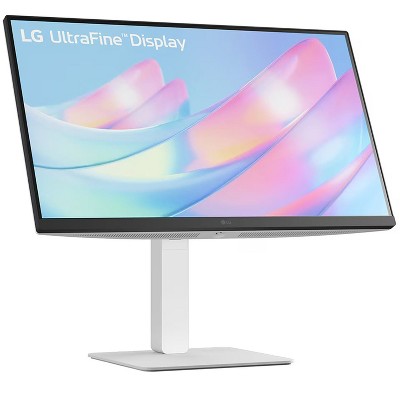
The LG UltraFine 27US550 is the display-first shortlist option. The Target page identifies a 27-inch 4K IPS monitor with HDR10 and the 27US550 model name. Its role here is deliberately narrower than the docking models. A clear screen identity can put a monitor on the list, but it does not establish every connection, charging or gaming capability that a buyer may need. Read the LG UltraFine 27US550 27-inch 4K Monitor product page for the exact listing.
Brand and scope: LG's UltraFine wording should not replace the full model code when comparing products. Related listings can carry different stands and ports, and a broad family name is not enough to resolve those differences. This entry is grounded in the retrieved Target page rather than specifications borrowed from a similarly named Amazon item. The article does not claim first-hand testing or treat marketing language as a measured display result.
Pros: the confirmed combination of 27-inch size, 4K resolution and IPS technology makes it a reasonable starting point for ordinary text and image work. It also provides a comparison for someone who does not need a monitor to act as a full dock. Keeping that simpler use case visible is helpful: buying more ports does not improve a workflow when none of them are used.
Cons: the retrieved page does not settle every technical requirement. Do not assume USB-C charging merely because a search result for another 27US550 listing mentions it. If laptop power, a particular refresh rate, multiple computer switching or a required port is essential, check the exact product documentation before choosing this entry. Missing information should stay visible rather than being filled with a plausible specification from elsewhere.
Options and setup: begin with the computer's existing display outputs and the stand position the desk requires. Confirm the selected item's included cables and adjustment range separately. If the goal is a one-cable laptop workstation, the documented Dell, ASUS, Samsung and ViewSonic options provide more information in this guide. Choose the LG as a display-first candidate when its confirmed identity suits the work, without assuming that every UltraFine monitor shares the same hardware. A simple shortlist should reduce confusion, not conceal it behind a familiar brand name.
Quick reference for the three retailer entries above.
| Product | Key labels | Score | Award |
|---|---|---|---|
| ViewSonic VX2776-4K-MHDU 27-inch 4K Monitor | 4K IPS; 60Hz; USB-C up to 65W; HDMI and DisplayPort | 8.1 | Best Straightforward USB-C Pick |
| Dell UltraSharp U2725QE 27-inch 4K Monitor | 4K IPS Black; 120Hz; Thunderbolt hub; up to 140W | 9.1 | Best Full Workstation Hub |
| LG UltraFine 27US550 27-inch 4K Monitor | 4K IPS; HDR10; model 27US550 | 7.9 | Best Display-First Shortlist |
Option 10: ViewSonic VX2776-4K-MHDU 27-inch 4K Monitor at Target
This Target entry is an alternative route to the ViewSonic VX2776-4K-MHDU, not a new monitor with a different performance score. The page identifies the same 27-inch 4K IPS model and names 60Hz refresh and USB-C charging up to 65W. A second retailer route is useful for comparing the purchase process, but it should not be presented as a second set of laboratory results or a hardware upgrade. Read the ViewSonic VX2776-4K-MHDU 27-inch 4K Monitor product page for the exact listing.
Brand and identity: ViewSonic's full MHDU designation remains important. Another similarly named monitor can have different connections even when the screen size and resolution look the same. This Target page explicitly describes USB-C alongside HDMI and DisplayPort, which supports the model's ordinary office role. We did not measure the panel or verify a specific laptop configuration, and no seller speed claim is converted into a test finding.
Pros: this listing makes the basic office-and-laptop connection story easier to inspect. A 4K screen with a documented USB-C power limit can suit a desk where documents and browser work lead the day. The 60Hz specification also keeps expectations separate from the Acer gaming pick. A shopper can compare the retailer path after deciding whether the monitor itself fits, rather than confusing the two decisions.
Cons: 65W is a maximum specification that must be matched to the laptop's actual needs. It is not proof of full charging performance under every workload. The HDR10 content-support wording also does not establish a high-end HDR experience. This guide makes no seller-specific delivery or service promise; those terms belong to the exact selected product page and should be reviewed before purchase.
Options and setup: compare this entry with the Amazon ViewSonic route if the MHDU is already on the shortlist. Check that the selected item is the same model, then compare included parts and the relevant seller terms. Plan cable reach and monitor height instead of assuming a clean-looking display fixes the whole desk. Choose this route for the buying process that suits you, while keeping the hardware recommendation and its 60Hz office-use role unchanged across the duplicate listing.
Choose the daily workflow before the display label
Start with the connections your computer actually supports and the size of your daily documents. Choose the Dell docking models for a laptop-centered workstation, ProArt or BenQ for a deliberate creative workflow, and Acer for a gaming-led desk. A USB-C port alone does not establish every feature you need. Verify the exact signal, power and accessory path before choosing.
Image credit: two AI-generated generic home-office illustrations, not photographs of listed monitors. Product details: Amazon and Target listings; recommendation context: PCMag and Windows Central monitor reviews, plus manufacturer specifications. No monitor tests were performed for this guide. This post contains affiliate links; we may earn a commission on qualifying purchases at no extra cost to you.
The responses below are not provided, commissioned, reviewed, approved, or otherwise endorsed by any financial entity or advertiser. It is not the advertiser’s responsibility to ensure all posts and/or questions are answered.