

Last Updated on: Oct 07, 2026
Computer mouse deals look alike until you compare the labels: how the mouse connects, how many buttons it has, what size or shape it is and what the battery wording says. This guide lines those labels up across Amazon and Target without turning seller phrases into comfort or tracking findings.
What We'll Cover
- Computer mouse deals by connection, features and size labels
- Option 1: Logitech M240 Compact Silent Bluetooth Wireless Mouse, Graphite
- Option 2: Amazon Basics Ergonomic Wireless PC Mouse, DPI Adjustable, Black
- Option 3: PHILIPS Wireless Mouse, 2.4GHz Quiet, USB Receiver, 1600 DPI
- Option 4: BKLNOG Wireless Ergonomic Vertical Mouse with Wrist Support
- Option 5: Logitech M510 Wireless Mouse, Black
- Option 6: ELECOM Bluetooth Ergonomic Mouse, Quiet Click, 5 Buttons, Large
- Option 7: Logitech MX Anywhere 2S Wireless Mouse, Black
- Option 8: HP 405 Quiet Wireless Mouse, Black (AZ7B3AA)
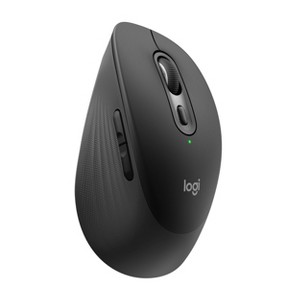
- Option 9: Logitech Signature Comfort Wireless Mouse, Bluetooth, Black
- Option 10: Logitech Wireless Mouse M317
- Match the connection before the shape
Scores reflect listing clarity, not comfort, tracking or durability testing. Similar mice stay distinct, and missing specifications stay unresolved.
Computer mouse deals by connection, features and size labels
The lead listing names its connection, quiet-click wording and button count in one heading.
Six Amazon products join four Target product pages. Seller comfort and battery phrases are not adopted as findings.
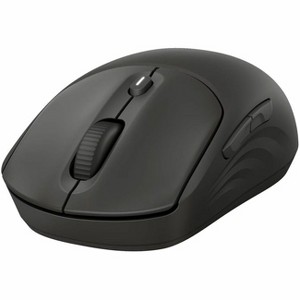
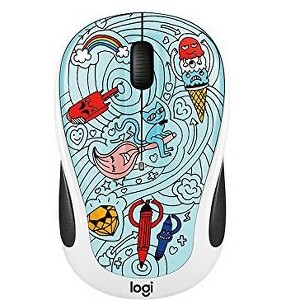
Selected connection, feature and size labels
These are retrieved listing labels, not measured comfort, tracking or battery results.
| Listing | Retailer | Connection | Features named | Size or pack |
|---|---|---|---|---|
| Logitech M240 Compact Silent Bluetooth Wireless Mouse, Graphite | Amazon | Bluetooth, no USB receiver | Quiet clicks; 3 non-customizable buttons; compact | Compact, single mouse |
| Amazon Basics Ergonomic Wireless PC Mouse, DPI Adjustable, Black | Amazon | Wireless; receiver type not named | Ergonomic shape; adjustable DPI | Single mouse, black |
| PHILIPS Wireless Mouse, 2.4GHz Quiet, USB Receiver, 1600 DPI | Amazon | 2.4GHz with USB receiver | Quiet; optical; 1600 DPI; portable | Single mouse |
| BKLNOG Wireless Ergonomic Vertical Mouse with Wrist Support | Amazon | Wireless; receiver type not named | Vertical shape; wrist support; right-hand shape | Single mouse |
| Logitech M510 Wireless Mouse, Black | Amazon | Wireless; receiver type not named in heading | Model M510; black | Single mouse |
| ELECOM Bluetooth Ergonomic Mouse, Quiet Click, 5 Buttons, Large | Amazon | Bluetooth | Ergonomic shape; quiet click; 5 buttons; large size | Single mouse |
| Logitech MX Anywhere 2S Wireless Mouse, Black | Target | Bluetooth and USB-A radio frequency | Multi-computer use named; business use label; 1 AA battery | 5.98 x 4.41 x 1.57 in per the page |
| HP 405 Quiet Wireless Mouse, Black (AZ7B3AA) | Target | Bluetooth, USB-A, 2.4 GHz, 32.81 ft range wording | Quiet clicks wording; 5 buttons; 1 AA battery | 1.6 x 4.6 x 2.4 in per the page |
| Logitech Signature Comfort Wireless Mouse, Bluetooth, Black | Target | Bluetooth, no wired ports | Silent clicks wording; scroll wheel; right-hand shape; 1 AA battery | 1.96 x 3.5 x 5.47 in per the page |
| Logitech Wireless Mouse M317 | Target | Radio frequency, Micro USB connection type | 2 buttons; AA battery optional, not included | 2 x 4 x 2 in per the page |

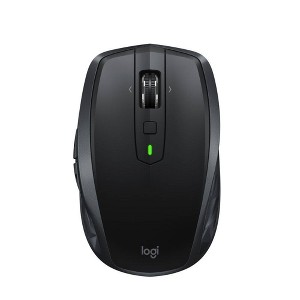
Pair and Play: With fast, easy Bluetooth wireless technology, you’re connected in seconds to this quiet cordless mouse —no dongle or port required
Less Noise, More Focus: Silent mouse with 90% redu...
Option 1: Logitech M240 Compact Silent Bluetooth Wireless Mouse, Graphite
This entry is Logitech M240 Compact Silent Bluetooth Wireless Mouse, Graphite, linked through Amazon. It covers the computer mouse angle of this guide, and its score reflects how clearly the retrieved Amazon heading names its connection, button and battery labels, not a comfort or tracking result. No computer mouse testing was performed for this guide.
The Amazon heading reads: Logitech M240 Compact Silent Bluetooth Wireless Mouse - Graphite, with Bluetooth connectivity, no USB receiver, quiet clicks and 3 non-customizable buttons. The heading names the connection as bluetooth, no usb receiver, the features as quiet clicks; 3 non-customizable buttons; compact and the size or pack as compact, single mouse. Anything the heading leaves out stays unknown here.
Start with the connection. Bluetooth, a 2.4 GHz USB receiver and a proprietary receiver are different setups, and a listing that names only one leaves the others unknown. A mouse that needs a USB-A receiver also needs a free port, which matters on laptops that only have USB-C, so the printed connection line is the first label to compare.
Shape and button wording come next. Vertical, ergonomic, compact and full-size describe the design, and they are seller labels, not comfort findings. Button counts and DPI figures are printed numbers that differ by model, and a higher DPI figure is a sensitivity setting, not proof of better tracking. Quiet-click wording is a seller description of the switch and was not measured here.
Power and compatibility differ too. Some mice take AA batteries, some charge over USB-C, and some pages say battery life in months. Those figures are seller wording and depend on use. Compatibility lines for Windows, macOS, Chrome OS or iPadOS are recorded as stated, and a missing line means unknown. Where a page leaves a battery or receiver detail out, this guide does the same.
Before choosing, confirm the connection, button and battery labels and the included parts on the selected page. This guide supplies no comfort, wrist-health or tracking findings, and compares the listings by their printed labels only. The licensed hero shows a black ergonomic mouse beside a keyboard and a white mug on a dark desk as generic context, not any listed product. Compare the listings by their printed labels, then verify the details that matter on the selected page.

Compact wireless mouse with adjustable DPI for preferred sensitivity (600, 1000, 1600, 2400, or 3600 DPI)
Advanced optical sensor; works on most surfaces; clickable metallic scroll wheel; back/forw...
Option 2: Amazon Basics Ergonomic Wireless PC Mouse, DPI Adjustable, Black
This entry is Amazon Basics Ergonomic Wireless PC Mouse, DPI Adjustable, Black, linked through Amazon. It covers the computer mouse angle of this guide, and its score reflects how clearly the retrieved Amazon heading names its connection, button and battery labels, not a comfort or tracking result. No computer mouse testing was performed for this guide.
The Amazon heading reads: Amazon Basics Ergonomic Wireless PC Mouse - DPI adjustable - Black. The heading names the connection as wireless; receiver type not named, the features as ergonomic shape; adjustable dpi and the size or pack as single mouse, black. Anything the heading leaves out stays unknown here.
Start with the connection. Bluetooth, a 2.4 GHz USB receiver and a proprietary receiver are different setups, and a listing that names only one leaves the others unknown. A mouse that needs a USB-A receiver also needs a free port, which matters on laptops that only have USB-C, so the printed connection line is the first label to compare.
Shape and button wording come next. Vertical, ergonomic, compact and full-size describe the design, and they are seller labels, not comfort findings. Button counts and DPI figures are printed numbers that differ by model, and a higher DPI figure is a sensitivity setting, not proof of better tracking. Quiet-click wording is a seller description of the switch and was not measured here.
Power and compatibility differ too. Some mice take AA batteries, some charge over USB-C, and some pages say battery life in months. Those figures are seller wording and depend on use. Compatibility lines for Windows, macOS, Chrome OS or iPadOS are recorded as stated, and a missing line means unknown. Where a page leaves a battery or receiver detail out, this guide does the same.
Before choosing, confirm the connection, button and battery labels and the included parts on the selected page. This guide supplies no comfort, wrist-health or tracking findings, and compares the listings by their printed labels only. The licensed hero shows a black ergonomic mouse beside a keyboard and a white mug on a dark desk as generic context, not any listed product. Compare the listings by their printed labels, then verify the details that matter on the selected page.

【Plug & Play】Just plug in the 2.4GHz USB receiver and start working in seconds with a strong, reliable connection to your wireless computer mouse up to 49 ft/15 m.
【Silent Click】Silent Technology r...
Option 3: PHILIPS Wireless Mouse, 2.4GHz Quiet, USB Receiver, 1600 DPI
This entry is PHILIPS Wireless Mouse, 2.4GHz Quiet, USB Receiver, 1600 DPI, linked through Amazon. It covers the computer mouse angle of this guide, and its score reflects how clearly the retrieved Amazon heading names its connection, button and battery labels, not a comfort or tracking result. No computer mouse testing was performed for this guide.
The Amazon heading reads: PHILIPS Wireless Mouse, 2.4GHz Quiet Mouse with USB Receiver, Ergonomic Optical Computer Mice, 1600 DPI, Portable and Durable. The heading names the connection as 2.4ghz with usb receiver, the features as quiet; optical; 1600 dpi; portable and the size or pack as single mouse. Anything the heading leaves out stays unknown here.
Start with the connection. Bluetooth, a 2.4 GHz USB receiver and a proprietary receiver are different setups, and a listing that names only one leaves the others unknown. A mouse that needs a USB-A receiver also needs a free port, which matters on laptops that only have USB-C, so the printed connection line is the first label to compare.
Shape and button wording come next. Vertical, ergonomic, compact and full-size describe the design, and they are seller labels, not comfort findings. Button counts and DPI figures are printed numbers that differ by model, and a higher DPI figure is a sensitivity setting, not proof of better tracking. Quiet-click wording is a seller description of the switch and was not measured here.
Power and compatibility differ too. Some mice take AA batteries, some charge over USB-C, and some pages say battery life in months. Those figures are seller wording and depend on use. Compatibility lines for Windows, macOS, Chrome OS or iPadOS are recorded as stated, and a missing line means unknown. Where a page leaves a battery or receiver detail out, this guide does the same.
Before choosing, confirm the connection, button and battery labels and the included parts on the selected page. This guide supplies no comfort, wrist-health or tracking findings, and compares the listings by their printed labels only. The licensed hero shows a black ergonomic mouse beside a keyboard and a white mug on a dark desk as generic context, not any listed product. Compare the listings by their printed labels, then verify the details that matter on the selected page.
Quick reference for the three products above, using the listing labels only.
| Product | Key labels | Score | Award |
|---|---|---|---|
| Logitech M240 Compact Silent Bluetooth Wireless Mouse, Graphite | Retailer: Amazon. Connection: Bluetooth, no USB receiver. Features named: Quiet clicks; 3 non-customizable buttons; compact. Size or pack: Compact, single mouse. | 8.5 | Best Fully Labeled Mouse |
| Amazon Basics Ergonomic Wireless PC Mouse, DPI Adjustable, Black | Retailer: Amazon. Connection: Wireless; receiver type not named. Features named: Ergonomic shape; adjustable DPI. Size or pack: Single mouse, black. | 8.0 | Best Listed-Feature Alternative |
| PHILIPS Wireless Mouse, 2.4GHz Quiet, USB Receiver, 1600 DPI | Retailer: Amazon. Connection: 2.4GHz with USB receiver. Features named: Quiet; optical; 1600 DPI; portable. Size or pack: Single mouse. | 7.5 | Best Listed-Feature Alternative |

Option 4: BKLNOG Wireless Ergonomic Vertical Mouse with Wrist Support
This entry is BKLNOG Wireless Ergonomic Vertical Mouse with Wrist Support, linked through Amazon. It covers the computer mouse angle of this guide, and its score reflects how clearly the retrieved Amazon heading names its connection, button and battery labels, not a comfort or tracking result. No computer mouse testing was performed for this guide.
The Amazon heading reads: BKLNOG Wireless Ergonomic Mouse, Vertical Mouse with Wrist Support, Sculpted Right Hand Shape for All Day Comfort. The heading names the connection as wireless; receiver type not named, the features as vertical shape; wrist support; right-hand shape and the size or pack as single mouse. Anything the heading leaves out stays unknown here.
Start with the connection. Bluetooth, a 2.4 GHz USB receiver and a proprietary receiver are different setups, and a listing that names only one leaves the others unknown. A mouse that needs a USB-A receiver also needs a free port, which matters on laptops that only have USB-C, so the printed connection line is the first label to compare.
Shape and button wording come next. Vertical, ergonomic, compact and full-size describe the design, and they are seller labels, not comfort findings. Button counts and DPI figures are printed numbers that differ by model, and a higher DPI figure is a sensitivity setting, not proof of better tracking. Quiet-click wording is a seller description of the switch and was not measured here.
Power and compatibility differ too. Some mice take AA batteries, some charge over USB-C, and some pages say battery life in months. Those figures are seller wording and depend on use. Compatibility lines for Windows, macOS, Chrome OS or iPadOS are recorded as stated, and a missing line means unknown. Where a page leaves a battery or receiver detail out, this guide does the same.
Before choosing, confirm the connection, button and battery labels and the included parts on the selected page. This guide supplies no comfort, wrist-health or tracking findings, and compares the listings by their printed labels only. The licensed hero shows a black ergonomic mouse beside a keyboard and a white mug on a dark desk as generic context, not any listed product. Compare the listings by their printed labels, then verify the details that matter on the selected page.
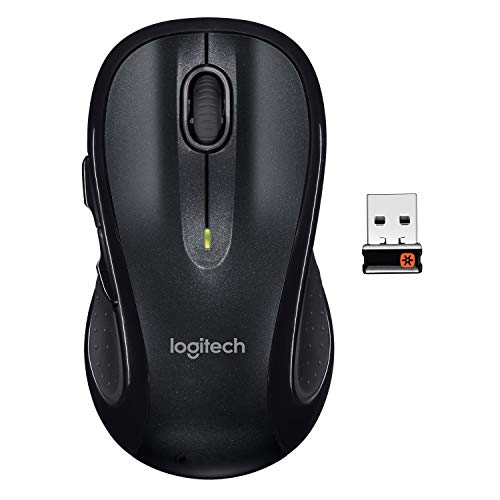
Note: In case of wireless mouse, the USB receiver will be provided inside or along with the mouse
Option 5: Logitech M510 Wireless Mouse, Black
This entry is Logitech M510 Wireless Mouse, Black, linked through Amazon. It covers the computer mouse angle of this guide, and its score reflects how clearly the retrieved Amazon heading names its connection, button and battery labels, not a comfort or tracking result. No computer mouse testing was performed for this guide.
The Amazon heading reads: Logitech M510 Wireless Mouse, Black. The heading names the connection as wireless; receiver type not named in heading, the features as model m510; black and the size or pack as single mouse. Anything the heading leaves out stays unknown here.
Start with the connection. Bluetooth, a 2.4 GHz USB receiver and a proprietary receiver are different setups, and a listing that names only one leaves the others unknown. A mouse that needs a USB-A receiver also needs a free port, which matters on laptops that only have USB-C, so the printed connection line is the first label to compare.
Shape and button wording come next. Vertical, ergonomic, compact and full-size describe the design, and they are seller labels, not comfort findings. Button counts and DPI figures are printed numbers that differ by model, and a higher DPI figure is a sensitivity setting, not proof of better tracking. Quiet-click wording is a seller description of the switch and was not measured here.
Power and compatibility differ too. Some mice take AA batteries, some charge over USB-C, and some pages say battery life in months. Those figures are seller wording and depend on use. Compatibility lines for Windows, macOS, Chrome OS or iPadOS are recorded as stated, and a missing line means unknown. Where a page leaves a battery or receiver detail out, this guide does the same.
Before choosing, confirm the connection, button and battery labels and the included parts on the selected page. This guide supplies no comfort, wrist-health or tracking findings, and compares the listings by their printed labels only. The licensed hero shows a black ergonomic mouse beside a keyboard and a white mug on a dark desk as generic context, not any listed product. Compare the listings by their printed labels, then verify the details that matter on the selected page.

Option 6: ELECOM Bluetooth Ergonomic Mouse, Quiet Click, 5 Buttons, Large
This entry is ELECOM Bluetooth Ergonomic Mouse, Quiet Click, 5 Buttons, Large, linked through Amazon. It covers the computer mouse angle of this guide, and its score reflects how clearly the retrieved Amazon heading names its connection, button and battery labels, not a comfort or tracking result. No computer mouse testing was performed for this guide.
The Amazon heading reads: ELECOM Bluetooth Mouse Ergonomic, Quiet Click, 5 Buttons for iPad, Laptop, Notebook, PC and Mac, Large. The heading names the connection as bluetooth, the features as ergonomic shape; quiet click; 5 buttons; large size and the size or pack as single mouse. Anything the heading leaves out stays unknown here.
Start with the connection. Bluetooth, a 2.4 GHz USB receiver and a proprietary receiver are different setups, and a listing that names only one leaves the others unknown. A mouse that needs a USB-A receiver also needs a free port, which matters on laptops that only have USB-C, so the printed connection line is the first label to compare.
Shape and button wording come next. Vertical, ergonomic, compact and full-size describe the design, and they are seller labels, not comfort findings. Button counts and DPI figures are printed numbers that differ by model, and a higher DPI figure is a sensitivity setting, not proof of better tracking. Quiet-click wording is a seller description of the switch and was not measured here.
Power and compatibility differ too. Some mice take AA batteries, some charge over USB-C, and some pages say battery life in months. Those figures are seller wording and depend on use. Compatibility lines for Windows, macOS, Chrome OS or iPadOS are recorded as stated, and a missing line means unknown. Where a page leaves a battery or receiver detail out, this guide does the same.
Before choosing, confirm the connection, button and battery labels and the included parts on the selected page. This guide supplies no comfort, wrist-health or tracking findings, and compares the listings by their printed labels only. The licensed hero shows a black ergonomic mouse beside a keyboard and a white mug on a dark desk as generic context, not any listed product. Compare the listings by their printed labels, then verify the details that matter on the selected page.
Quick reference for the three products above, using the listing labels only.
| Product | Key labels | Score | Award |
|---|---|---|---|
| BKLNOG Wireless Ergonomic Vertical Mouse with Wrist Support | Retailer: Amazon. Connection: Wireless; receiver type not named. Features named: Vertical shape; wrist support; right-hand shape. Size or pack: Single mouse. | 7.0 | Best Listed-Feature Alternative |
| Logitech M510 Wireless Mouse, Black | Retailer: Amazon. Connection: Wireless; receiver type not named in heading. Features named: Model M510; black. Size or pack: Single mouse. | 8.0 | Best Listed-Feature Alternative |
| ELECOM Bluetooth Ergonomic Mouse, Quiet Click, 5 Buttons, Large | Retailer: Amazon. Connection: Bluetooth. Features named: Ergonomic shape; quiet click; 5 buttons; large size. Size or pack: Single mouse. | 7.5 | Best Listed-Feature Alternative |
Option 7: Logitech MX Anywhere 2S Wireless Mouse, Black
This entry is Logitech MX Anywhere 2S Wireless Mouse, Black, linked through Target. It covers the computer mouse angle of this guide, and its score reflects how clearly the retrieved Target page names its connection, button and battery labels, not a comfort or tracking result. No computer mouse testing was performed for this guide.
The Target page names a black mobile mouse with Bluetooth and radio-frequency connection, a USB-A connection type, a business primary-use label, one AA lithium battery and overall dimensions of 5.98 by 4.41 by 1.57 inches. The listing says it can control more than one computer, which is seller wording.
Start with the connection. Bluetooth, a 2.4 GHz USB receiver and a proprietary receiver are different setups, and a listing that names only one leaves the others unknown. A mouse that needs a USB-A receiver also needs a free port, which matters on laptops that only have USB-C, so the printed connection line is the first label to compare.
Shape and button wording come next. Vertical, ergonomic, compact and full-size describe the design, and they are seller labels, not comfort findings. Button counts and DPI figures are printed numbers that differ by model, and a higher DPI figure is a sensitivity setting, not proof of better tracking. Quiet-click wording is a seller description of the switch and was not measured here.
Power and compatibility differ too. Some mice take AA batteries, some charge over USB-C, and some pages say battery life in months. Those figures are seller wording and depend on use. Compatibility lines for Windows, macOS, Chrome OS or iPadOS are recorded as stated, and a missing line means unknown. Where a page leaves a battery or receiver detail out, this guide does the same.
Before choosing, confirm the connection, button and battery labels and the included parts on the selected page. This guide supplies no comfort, wrist-health or tracking findings, and compares the listings by their printed labels only. The licensed hero shows a black ergonomic mouse beside a keyboard and a white mug on a dark desk as generic context, not any listed product. Compare the listings by their printed labels, then verify the details that matter on the selected page.
Option 8: HP 405 Quiet Wireless Mouse, Black (AZ7B3AA)
This entry is HP 405 Quiet Wireless Mouse, Black (AZ7B3AA), linked through Target. It covers the computer mouse angle of this guide, and its score reflects how clearly the retrieved Target page names its connection, button and battery labels, not a comfort or tracking result. No computer mouse testing was performed for this guide.
The Target page names a black wireless mouse with Bluetooth connection, a USB-A connection type, a 2.4 GHz radio band, five buttons, one AA alkaline battery packaged with it and dimensions of 1.6 by 4.6 by 2.4 inches. A 32.81 foot range and a 24-month battery life appear as seller wording and are not tested here.
Start with the connection. Bluetooth, a 2.4 GHz USB receiver and a proprietary receiver are different setups, and a listing that names only one leaves the others unknown. A mouse that needs a USB-A receiver also needs a free port, which matters on laptops that only have USB-C, so the printed connection line is the first label to compare.
Shape and button wording come next. Vertical, ergonomic, compact and full-size describe the design, and they are seller labels, not comfort findings. Button counts and DPI figures are printed numbers that differ by model, and a higher DPI figure is a sensitivity setting, not proof of better tracking. Quiet-click wording is a seller description of the switch and was not measured here.
Power and compatibility differ too. Some mice take AA batteries, some charge over USB-C, and some pages say battery life in months. Those figures are seller wording and depend on use. Compatibility lines for Windows, macOS, Chrome OS or iPadOS are recorded as stated, and a missing line means unknown. Where a page leaves a battery or receiver detail out, this guide does the same.
Before choosing, confirm the connection, button and battery labels and the included parts on the selected page. This guide supplies no comfort, wrist-health or tracking findings, and compares the listings by their printed labels only. The licensed hero shows a black ergonomic mouse beside a keyboard and a white mug on a dark desk as generic context, not any listed product. Compare the listings by their printed labels, then verify the details that matter on the selected page.
Option 9: Logitech Signature Comfort Wireless Mouse, Bluetooth, Black
This entry is Logitech Signature Comfort Wireless Mouse, Bluetooth, Black, linked through Target. It covers the computer mouse angle of this guide, and its score reflects how clearly the retrieved Target page names its connection, button and battery labels, not a comfort or tracking result. No computer mouse testing was performed for this guide.
The Target page names a black Bluetooth mouse with a scroll wheel, no wired connection ports, one AA lithium battery installed, compatibility with Windows, macOS and Chrome OS, and dimensions of 1.96 by 3.5 by 5.47 inches. The description says it has a natural shape for right hands, which is seller wording.
Start with the connection. Bluetooth, a 2.4 GHz USB receiver and a proprietary receiver are different setups, and a listing that names only one leaves the others unknown. A mouse that needs a USB-A receiver also needs a free port, which matters on laptops that only have USB-C, so the printed connection line is the first label to compare.
Shape and button wording come next. Vertical, ergonomic, compact and full-size describe the design, and they are seller labels, not comfort findings. Button counts and DPI figures are printed numbers that differ by model, and a higher DPI figure is a sensitivity setting, not proof of better tracking. Quiet-click wording is a seller description of the switch and was not measured here.
Power and compatibility differ too. Some mice take AA batteries, some charge over USB-C, and some pages say battery life in months. Those figures are seller wording and depend on use. Compatibility lines for Windows, macOS, Chrome OS or iPadOS are recorded as stated, and a missing line means unknown. Where a page leaves a battery or receiver detail out, this guide does the same.
Before choosing, confirm the connection, button and battery labels and the included parts on the selected page. This guide supplies no comfort, wrist-health or tracking findings, and compares the listings by their printed labels only. The licensed hero shows a black ergonomic mouse beside a keyboard and a white mug on a dark desk as generic context, not any listed product. Compare the listings by their printed labels, then verify the details that matter on the selected page.
Option 10: Logitech Wireless Mouse M317
This entry is Logitech Wireless Mouse M317, linked through Target. It covers the computer mouse angle of this guide, and its score reflects how clearly the retrieved Target page names its connection, button and battery labels, not a comfort or tracking result. No computer mouse testing was performed for this guide.
The Target page names a wireless mouse with radio-frequency connection, a Micro USB connection type, two buttons and a home primary-use label. It lists the AA battery as optional and not included, and gives dimensions of about 2 by 4 by 2 inches. The connection type line should be checked on the page.
Start with the connection. Bluetooth, a 2.4 GHz USB receiver and a proprietary receiver are different setups, and a listing that names only one leaves the others unknown. A mouse that needs a USB-A receiver also needs a free port, which matters on laptops that only have USB-C, so the printed connection line is the first label to compare.
Shape and button wording come next. Vertical, ergonomic, compact and full-size describe the design, and they are seller labels, not comfort findings. Button counts and DPI figures are printed numbers that differ by model, and a higher DPI figure is a sensitivity setting, not proof of better tracking. Quiet-click wording is a seller description of the switch and was not measured here.
Power and compatibility differ too. Some mice take AA batteries, some charge over USB-C, and some pages say battery life in months. Those figures are seller wording and depend on use. Compatibility lines for Windows, macOS, Chrome OS or iPadOS are recorded as stated, and a missing line means unknown. Where a page leaves a battery or receiver detail out, this guide does the same.
Before choosing, confirm the connection, button and battery labels and the included parts on the selected page. This guide supplies no comfort, wrist-health or tracking findings, and compares the listings by their printed labels only. The licensed hero shows a black ergonomic mouse beside a keyboard and a white mug on a dark desk as generic context, not any listed product. Compare the listings by their printed labels, then verify the details that matter on the selected page.
Match the connection before the shape
Confirm the connection type, the receiver or battery, the button count and the size on the selected page. A good shape does not help if the mouse needs a port the computer lacks.
This comparison gives no comfort or wrist-health guidance and makes no tracking findings.
Image credit: Pexels stock photo 7265960, licensed stock of a computer mouse, keyboard and mug on a desk for illustration, not a photograph of a listed mouse. Product details: SuperOffers, Amazon and Target listings. No mouse tests were performed. This post contains affiliate links; we may earn a commission on qualifying purchases at no extra cost to you. A second Pexels stock photo (9128856) appears mid-article for illustration and is not a listed product.
The responses below are not provided, commissioned, reviewed, approved, or otherwise endorsed by any financial entity or advertiser. It is not the advertiser’s responsibility to ensure all posts and/or questions are answered.